Record a payment
Record each payment a customer makes against an invoice. Omni reduces the Balance Due, lists the payment under Payment History and moves the invoice to Partially Paid or Paid depending on what is still owed.
-
Click Record Payment. The Record Payment dialog opens, showing the invoice number and the current Amount Due.
-
Fill in the payment.
Field Required What to enter Payment Amount Yes The amount received. It must be more than zero and no more than the Amount Due; the field formats it as dollars and cents when you leave it. Date Yes The day the payment was received. Defaults to today and cannot be in the future. Method Yes Bank Transfer, Cash, Check, Credit Card, Wire Transfer or Other. Reference Number No A check number or transaction ID, up to 100 characters. -
Click Record Payment. The button stays disabled until the required fields are valid.
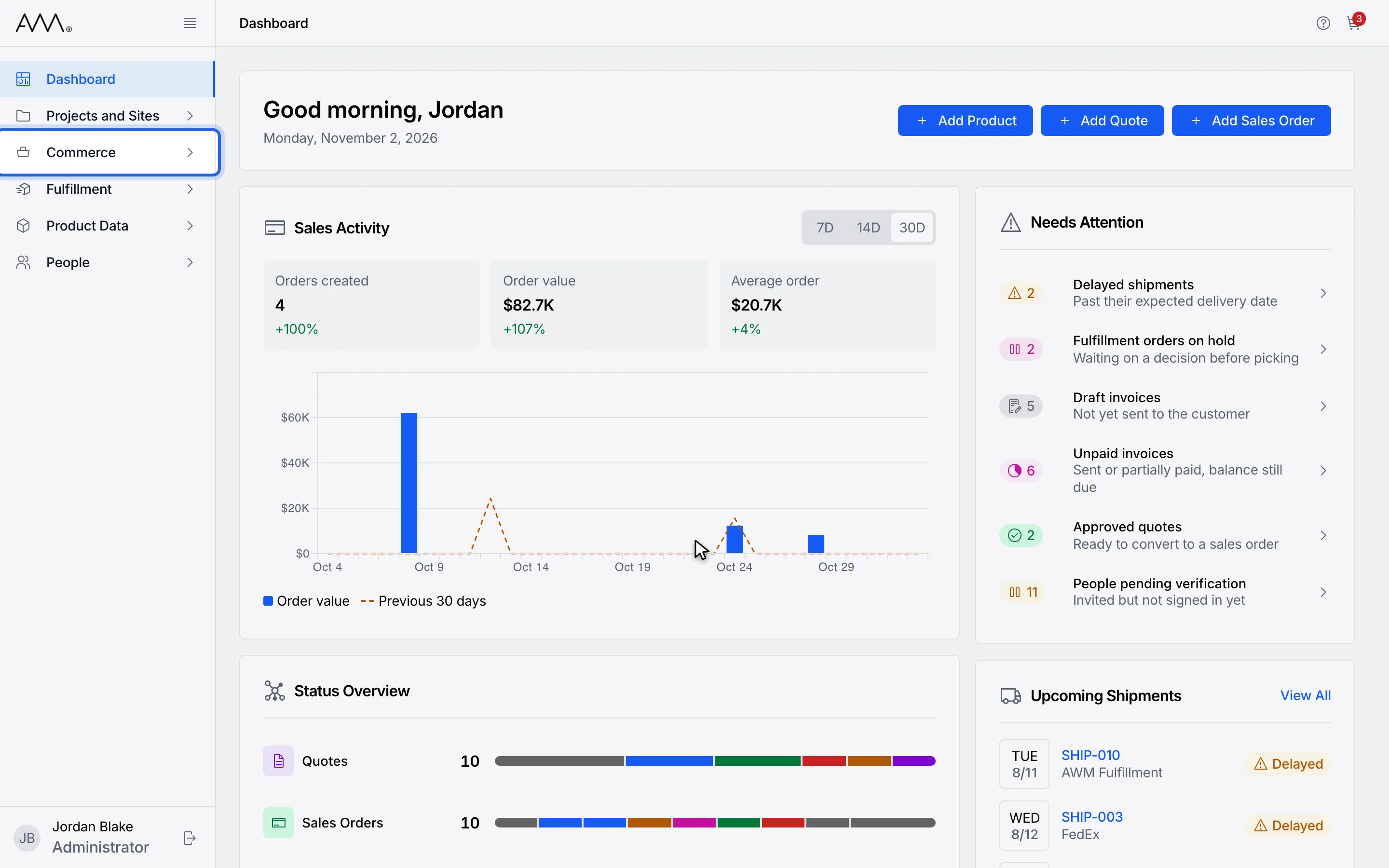
1In the sidebar, open Commerce.
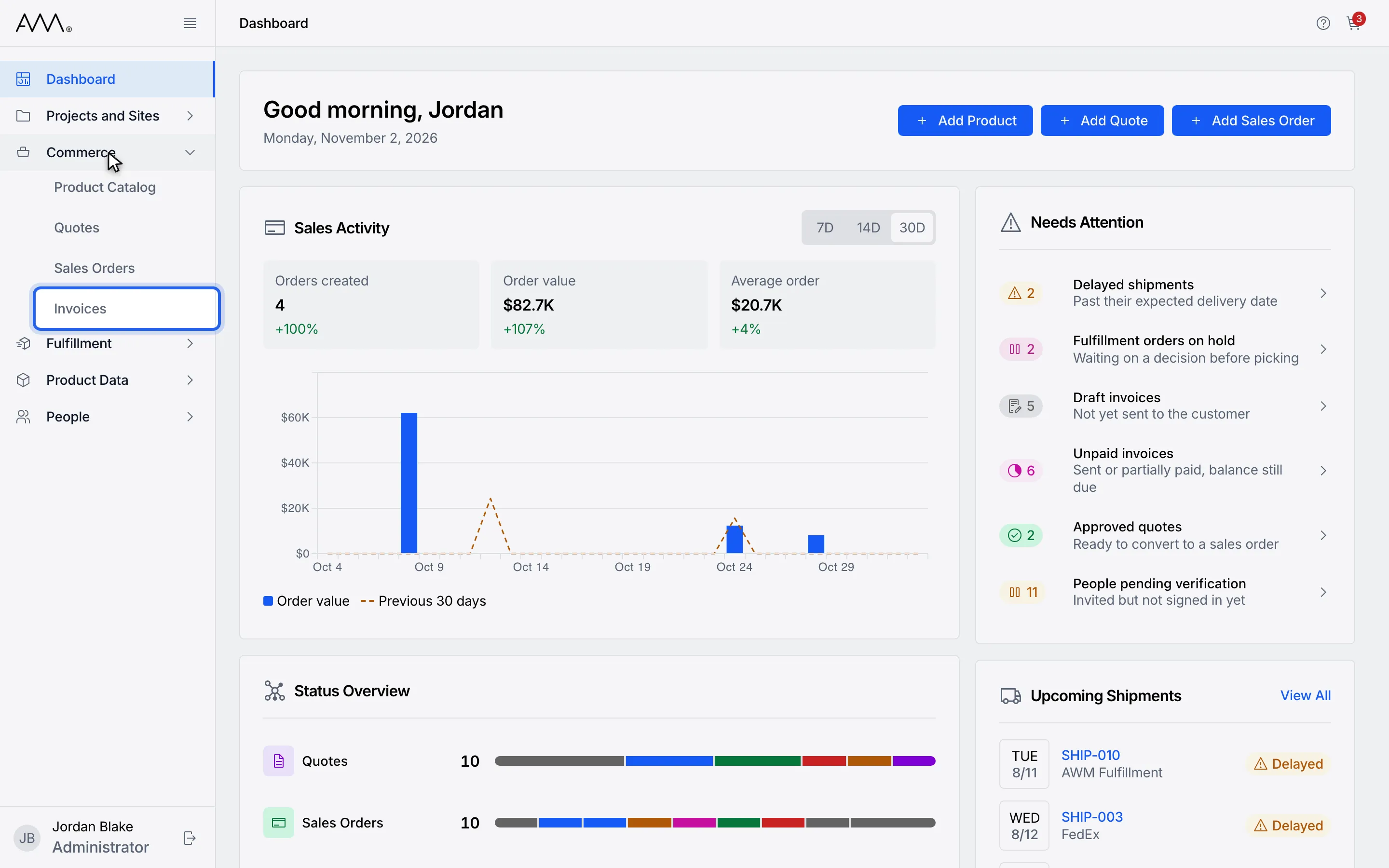
2Choose Invoices.
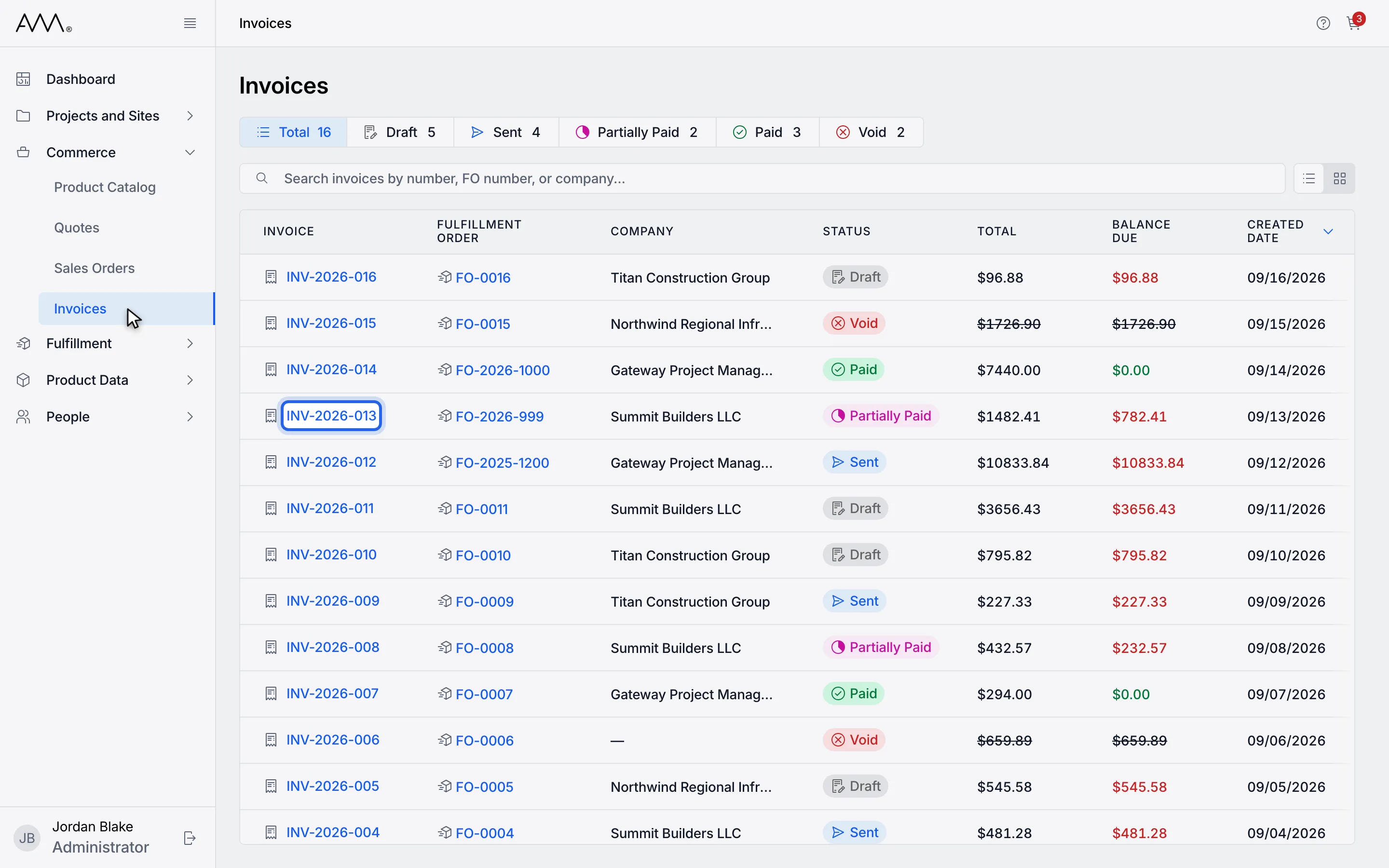
3Open an invoice with a balance due.
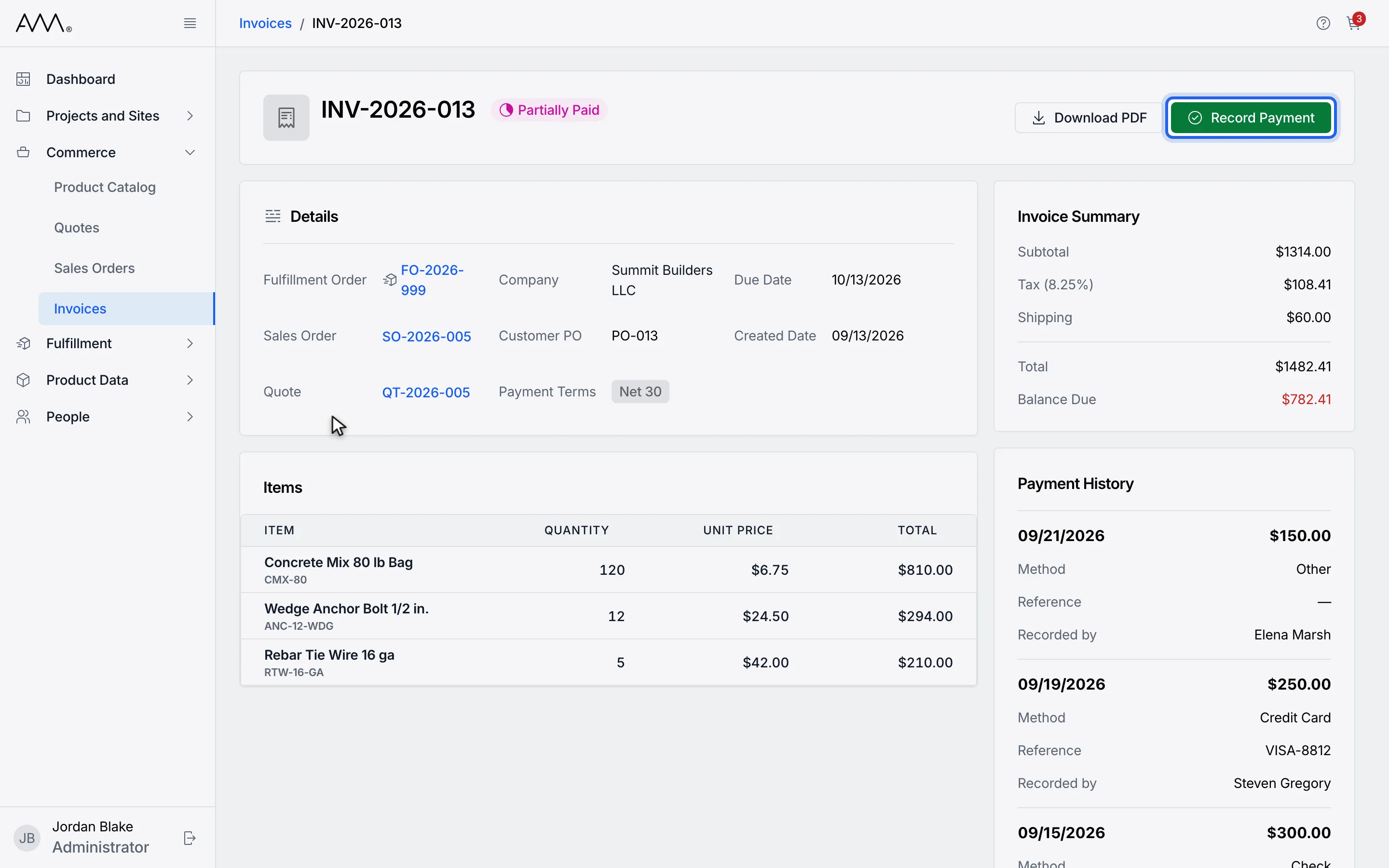
4Click Record Payment. The dialog shows the Amount Due.
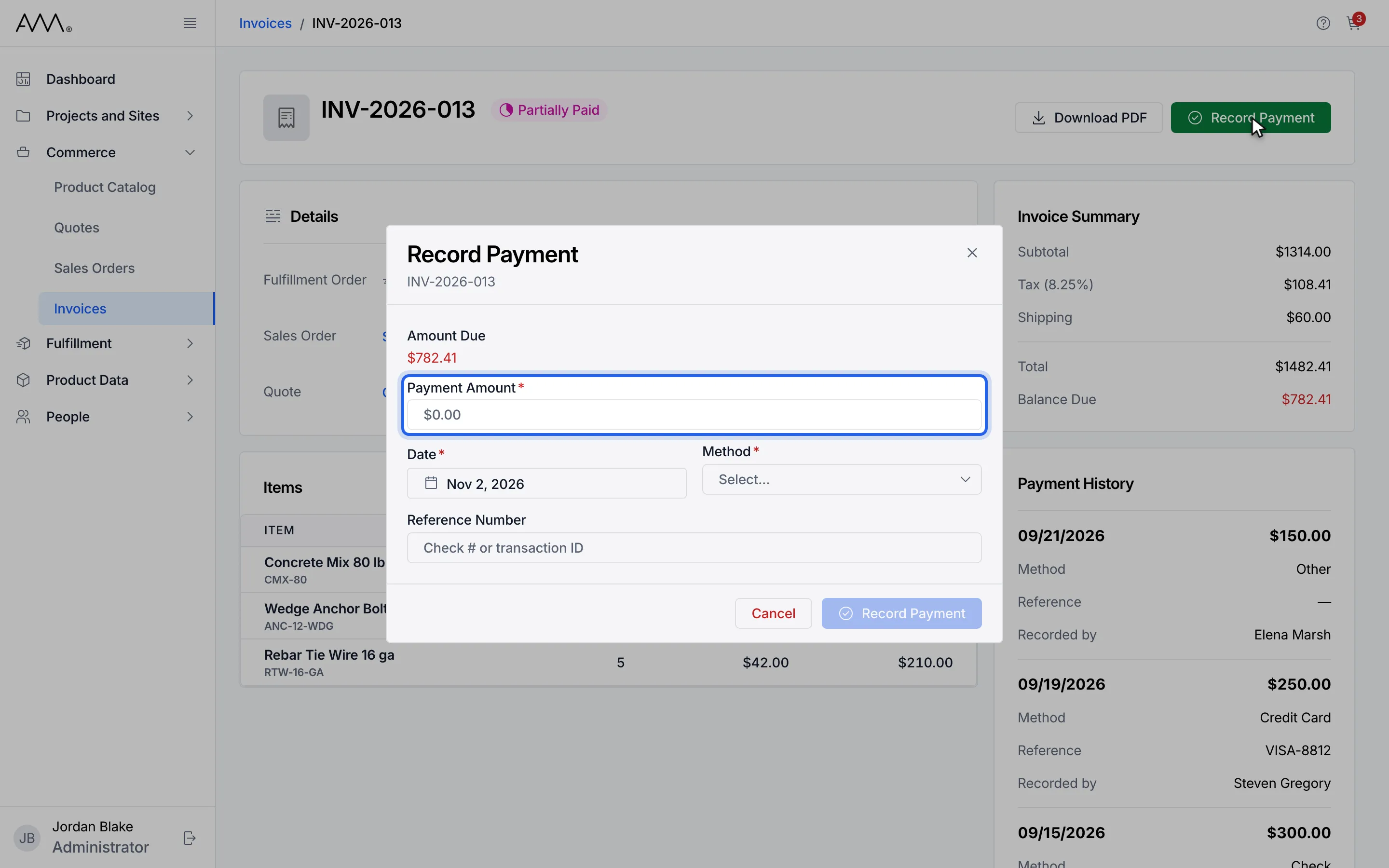
5Enter the Payment Amount. It cannot exceed the amount due.
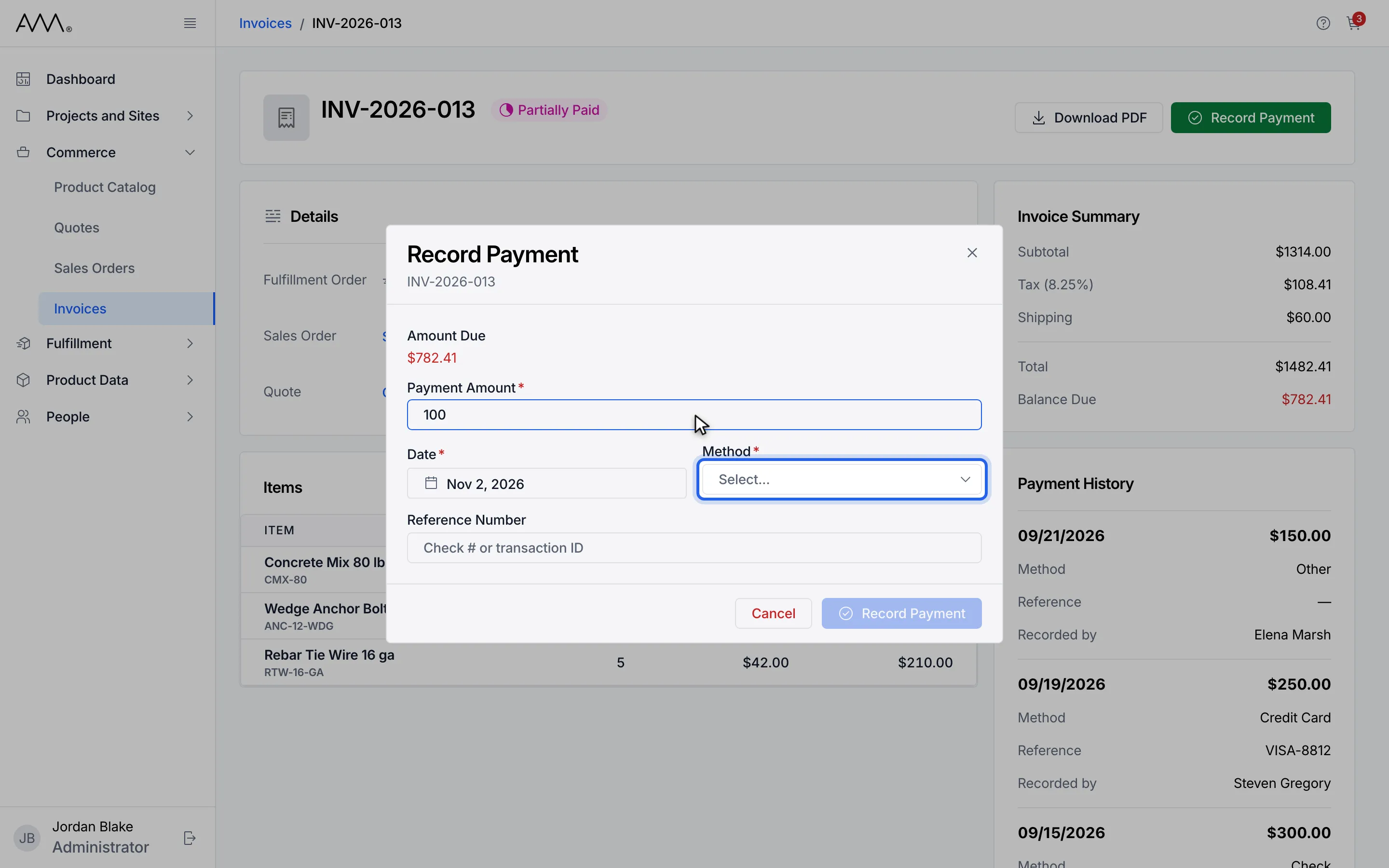
6Open the Method list.
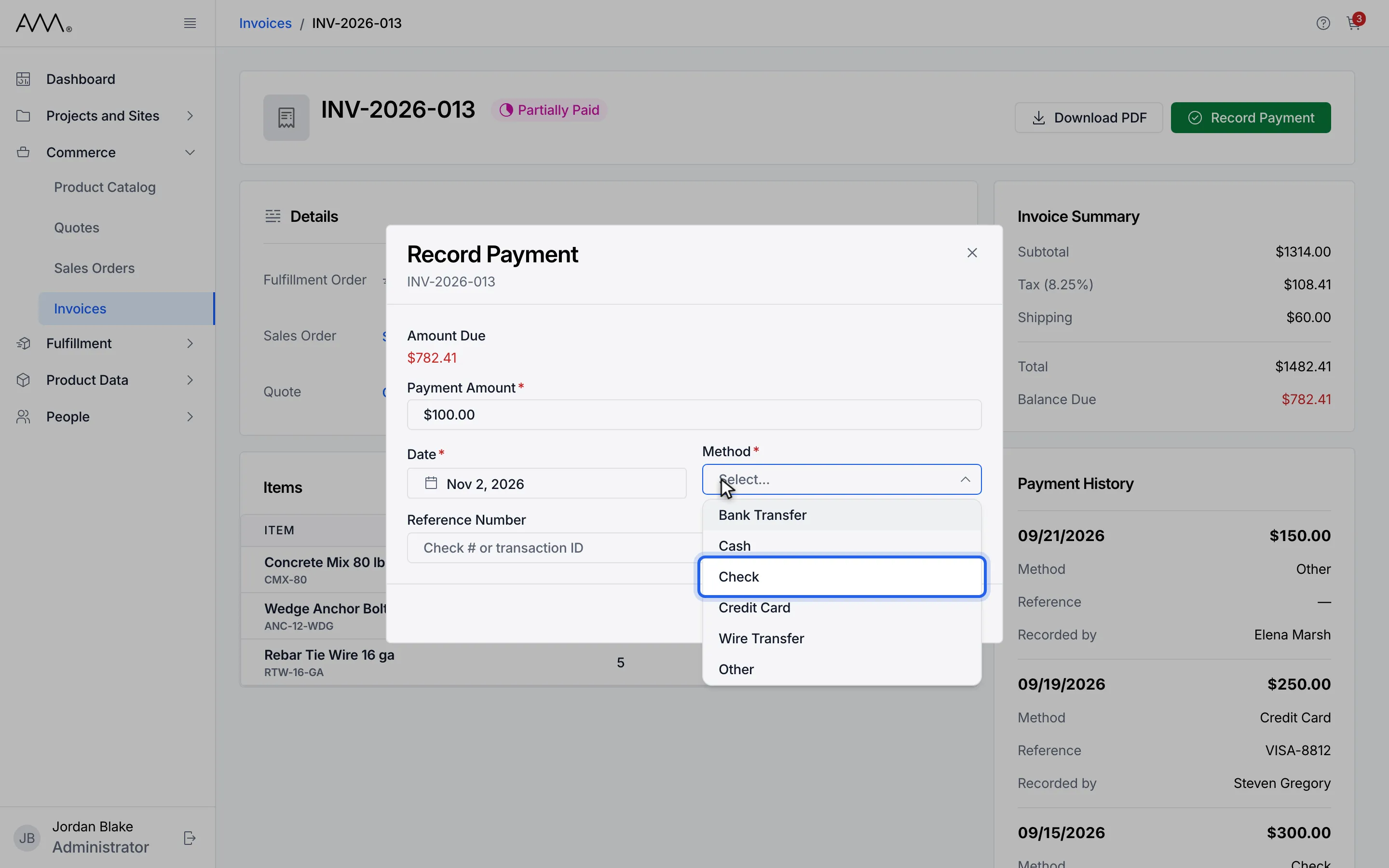
7Pick the payment method.
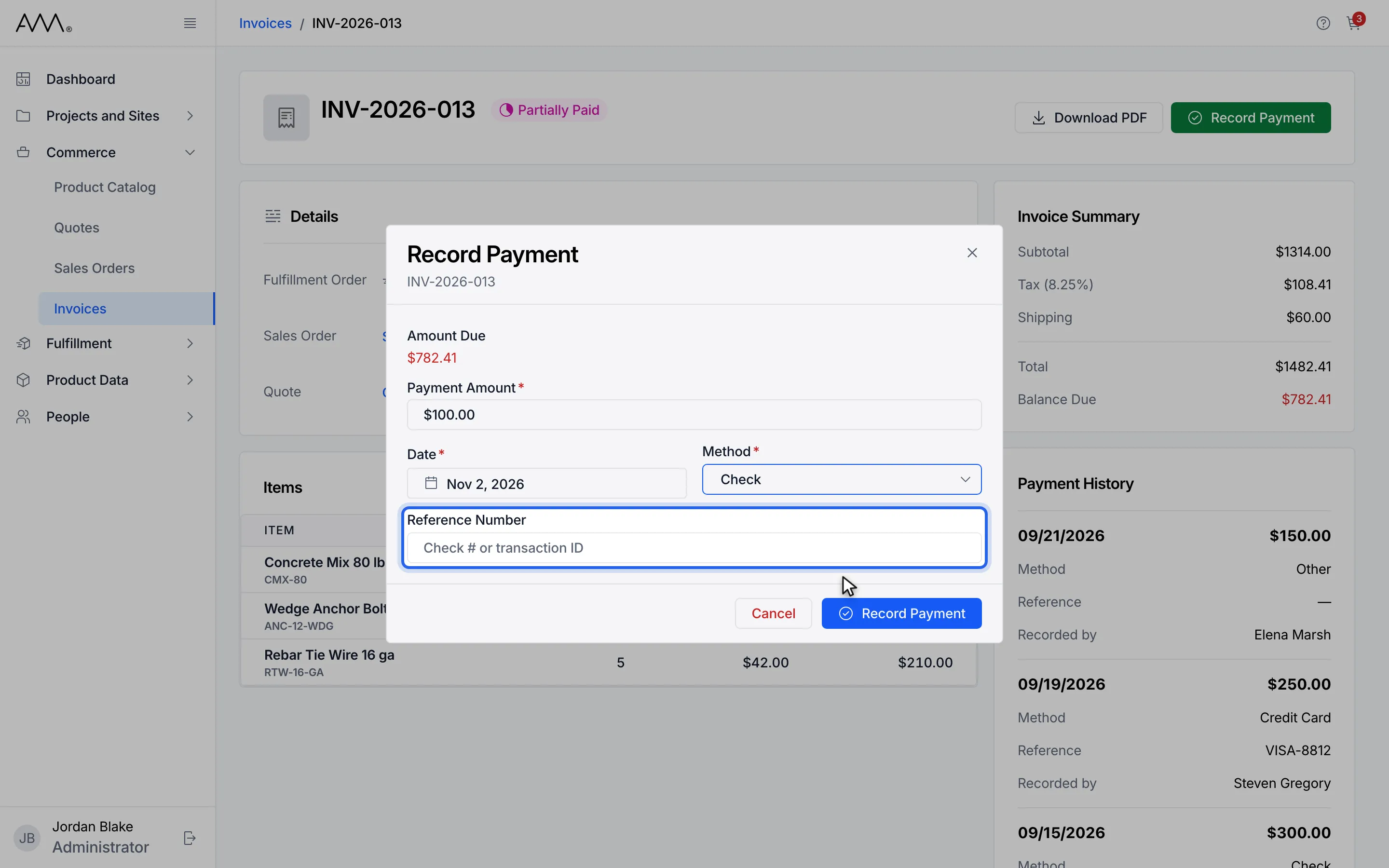
8Add a Reference Number such as a check number (optional).
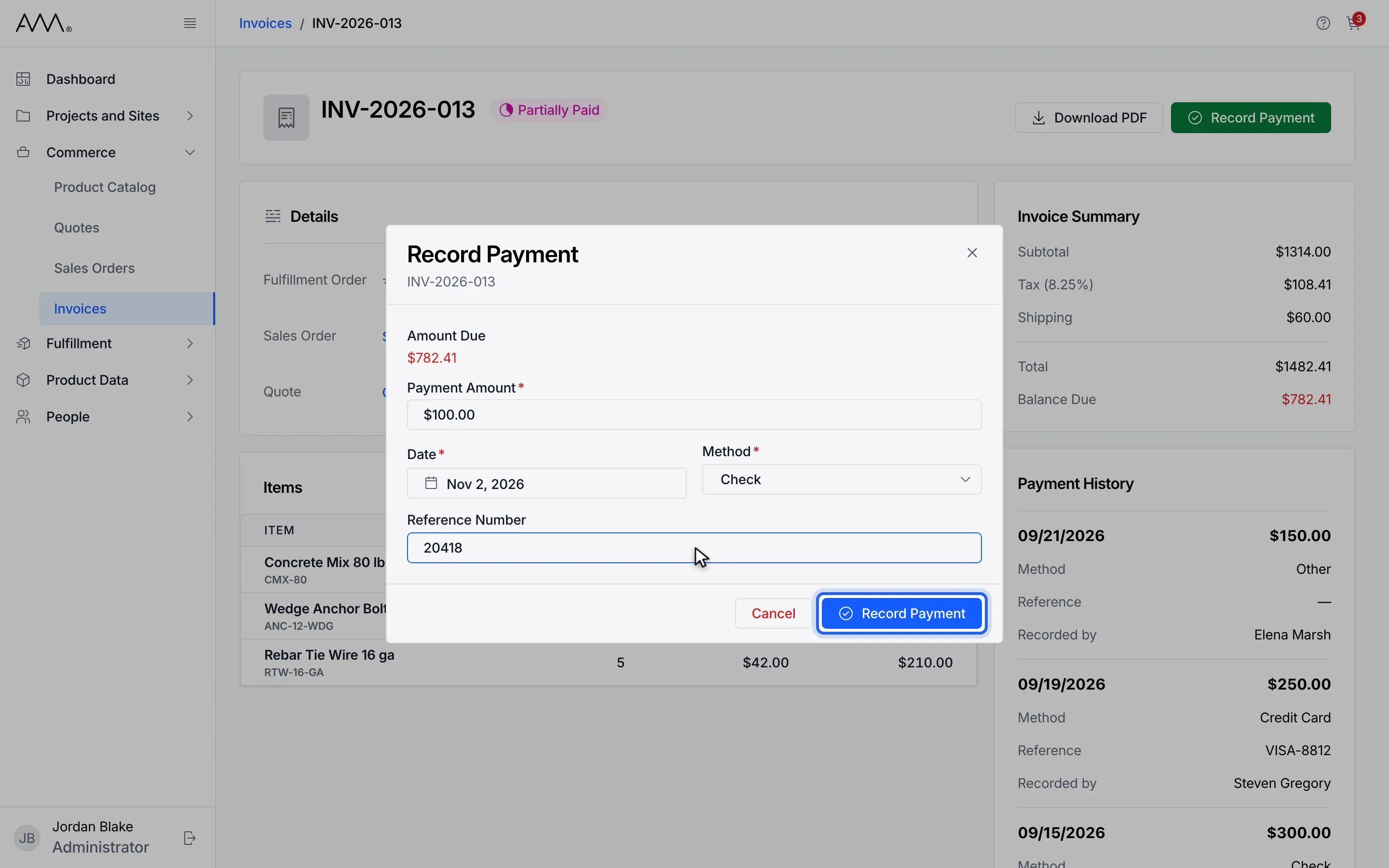
9Click Record Payment. A message confirms Payment recorded.
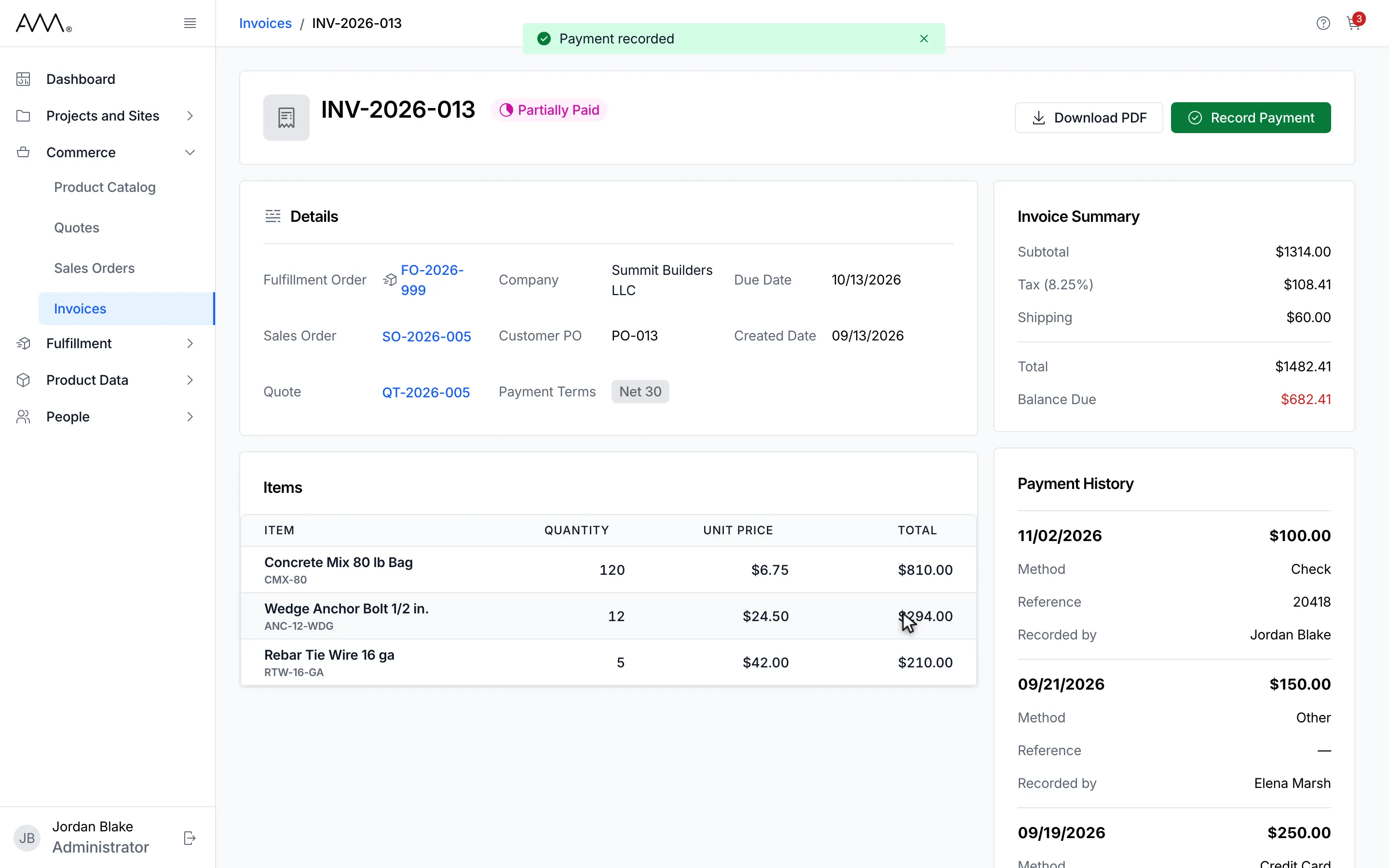
10The balance drops and the payment is listed first in Payment History.
11The balance drops and the payment is listed first in Payment History.
Watch this as a video (record a payment)
What happens next
Section titled “What happens next”A message confirms Payment recorded. The Balance Due drops by the amount, the payment appears at the top of Payment History with its Method, Reference and you as Recorded by, and the status becomes Partially Paid if something is still owed or Paid when the balance reaches zero. A Paid invoice offers only Download PDF.
If the payment cannot be recorded, the dialog stays open and a message explains why, for example This payment is more than the amount due. Check the amount and try again. or Could not record the payment. Please try again. If you retry after a connection problem, the same payment is not recorded twice.
Validation messages are listed in the reference.