Create a role
Create a role when a group of people needs the same set of permissions. You pick the permissions in a matrix with one panel per module.
- In the sidebar, open People and choose Roles, then click Add Role.
- Enter a Role Name (up to 100 characters).
- Enter a Description if you want (up to 500 characters).
- Under Permissions, grant what the role needs. Each module is a panel such as Projects Supply Points (5 features), with one row per feature and a checkbox per action.
- Click All on a feature row, such as Jobsites, to grant every action for that feature. The link then reads Clear.
- Tick single checkboxes, such as Read on the Companies row or Read on the Supply Points row, for finer control.
- Click Select All on a module header, such as Dashboard, to grant everything in that module. It then reads Clear All.
- Click Add Role. The button stays disabled until the name is valid and the permission list has loaded.
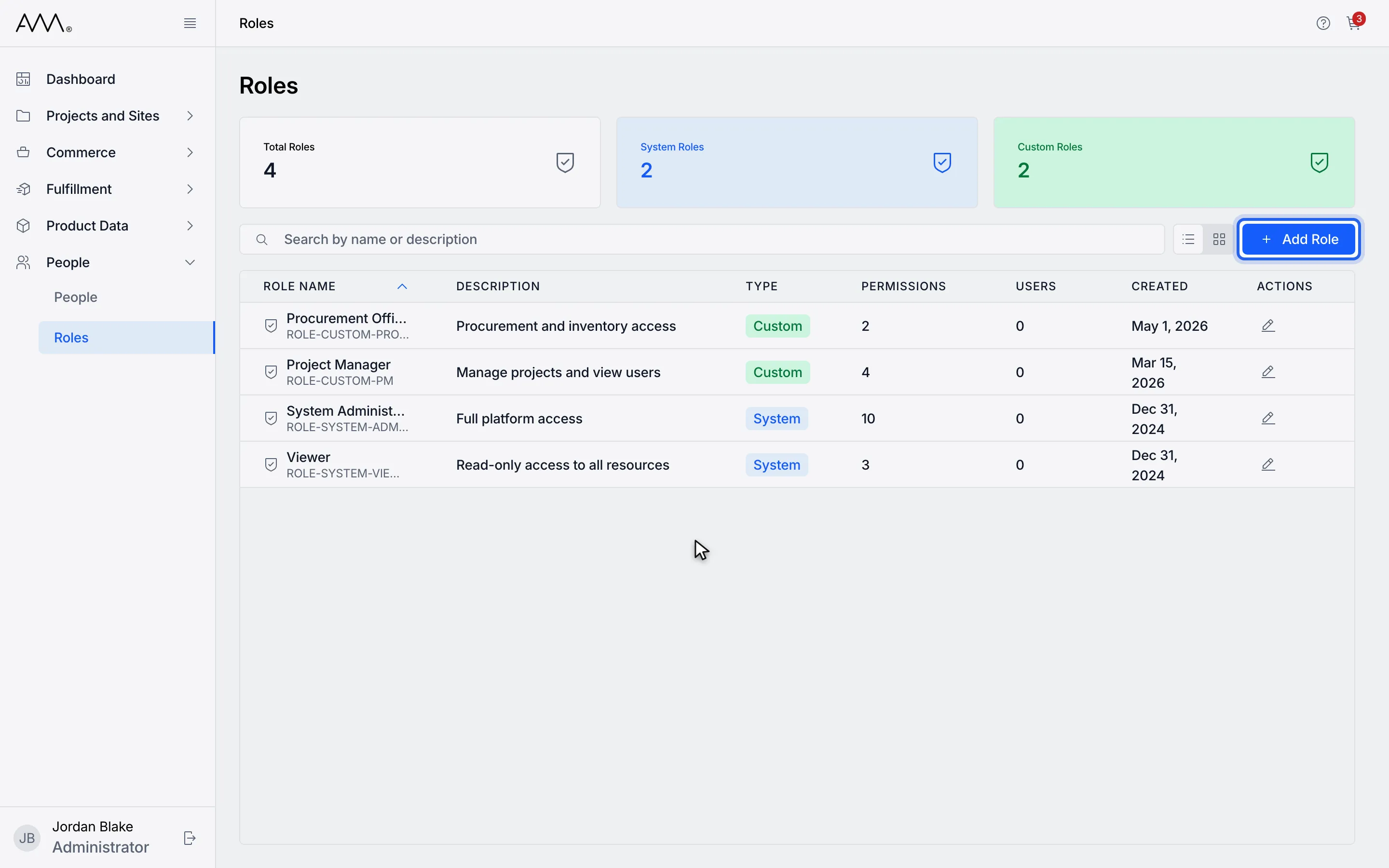
1Click Add Role.
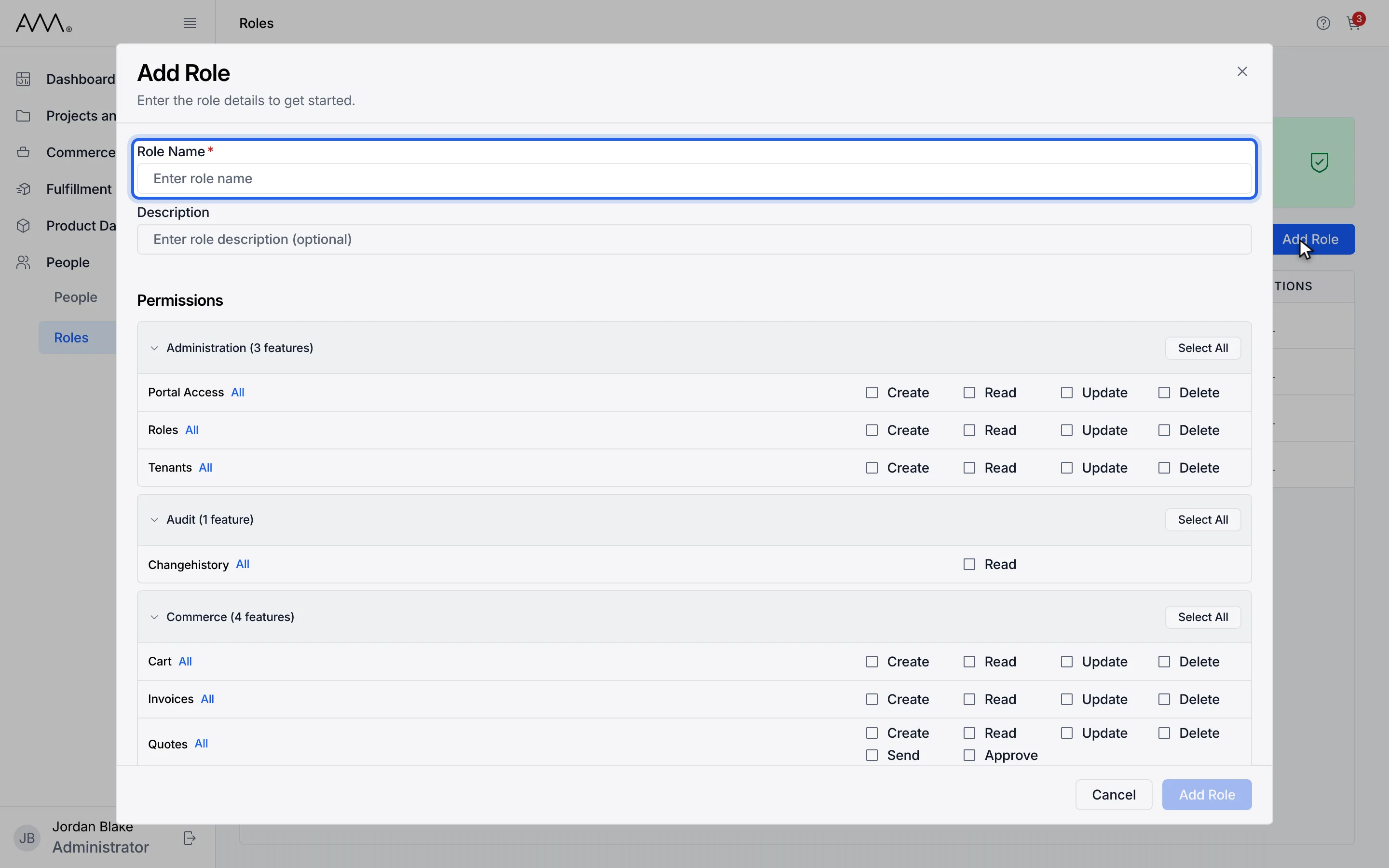
2Enter a role name.
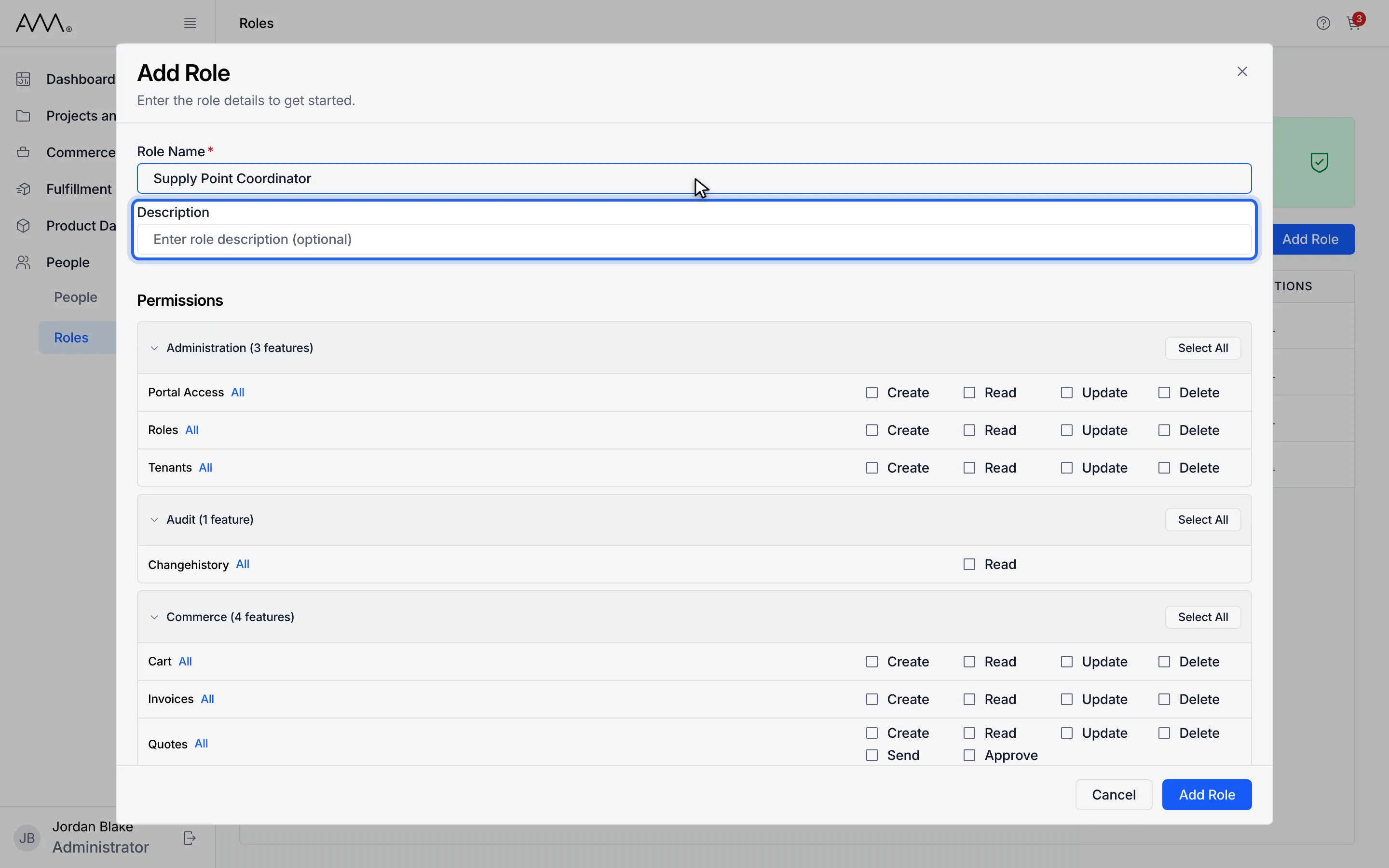
3Add a description (optional).
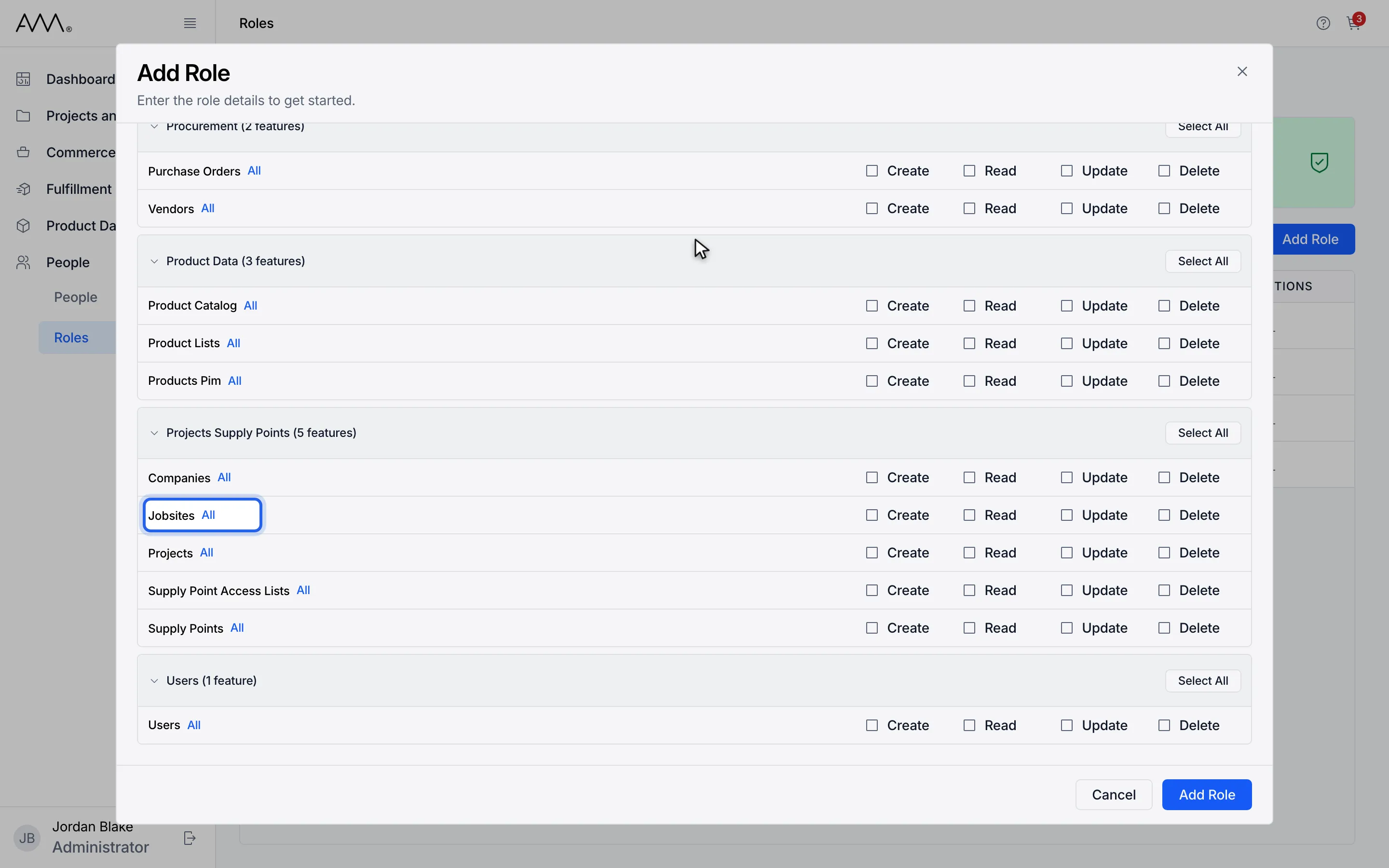
4Click All on a feature row to grant every action for it.
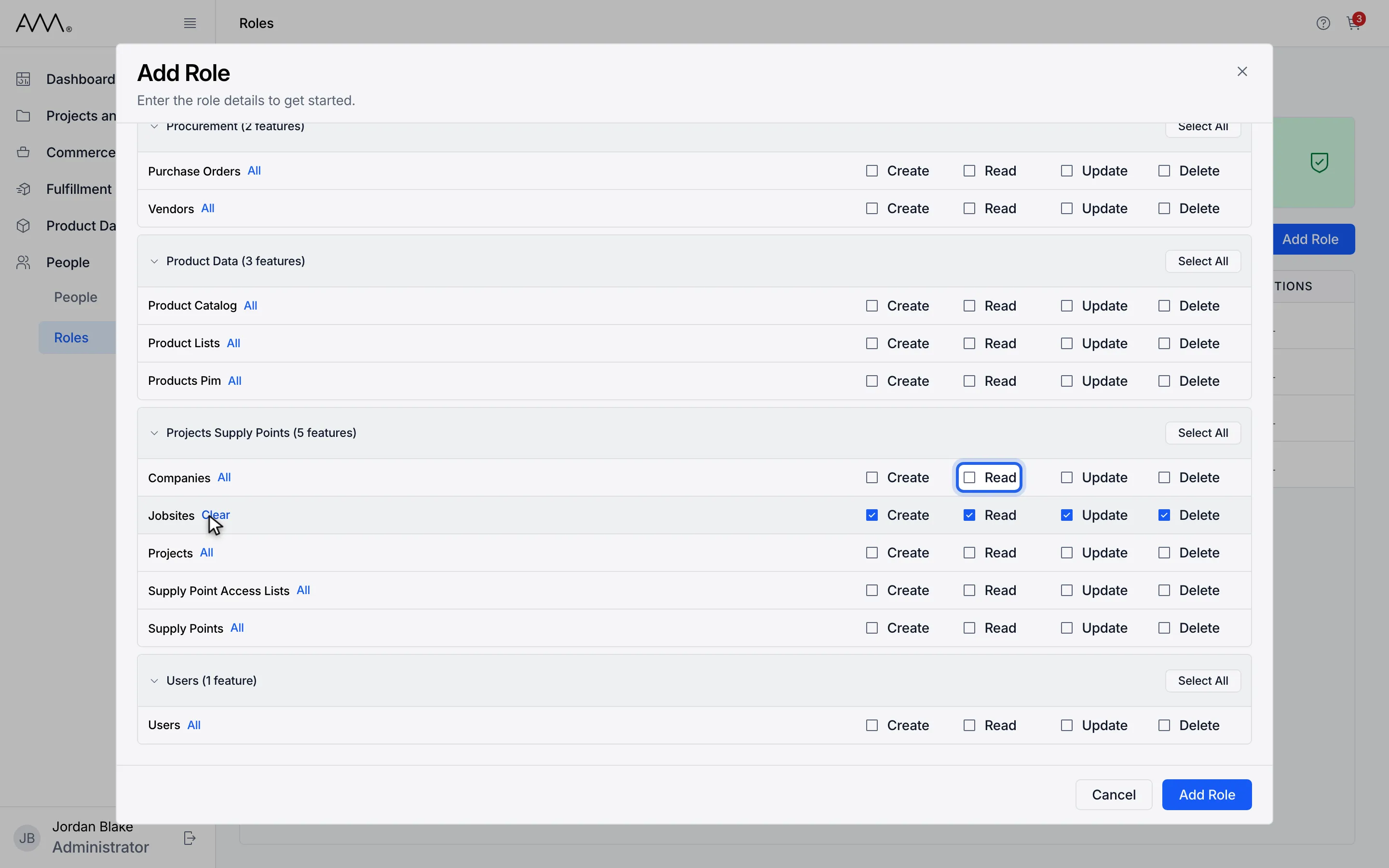
5Tick single actions such as Companies Read.
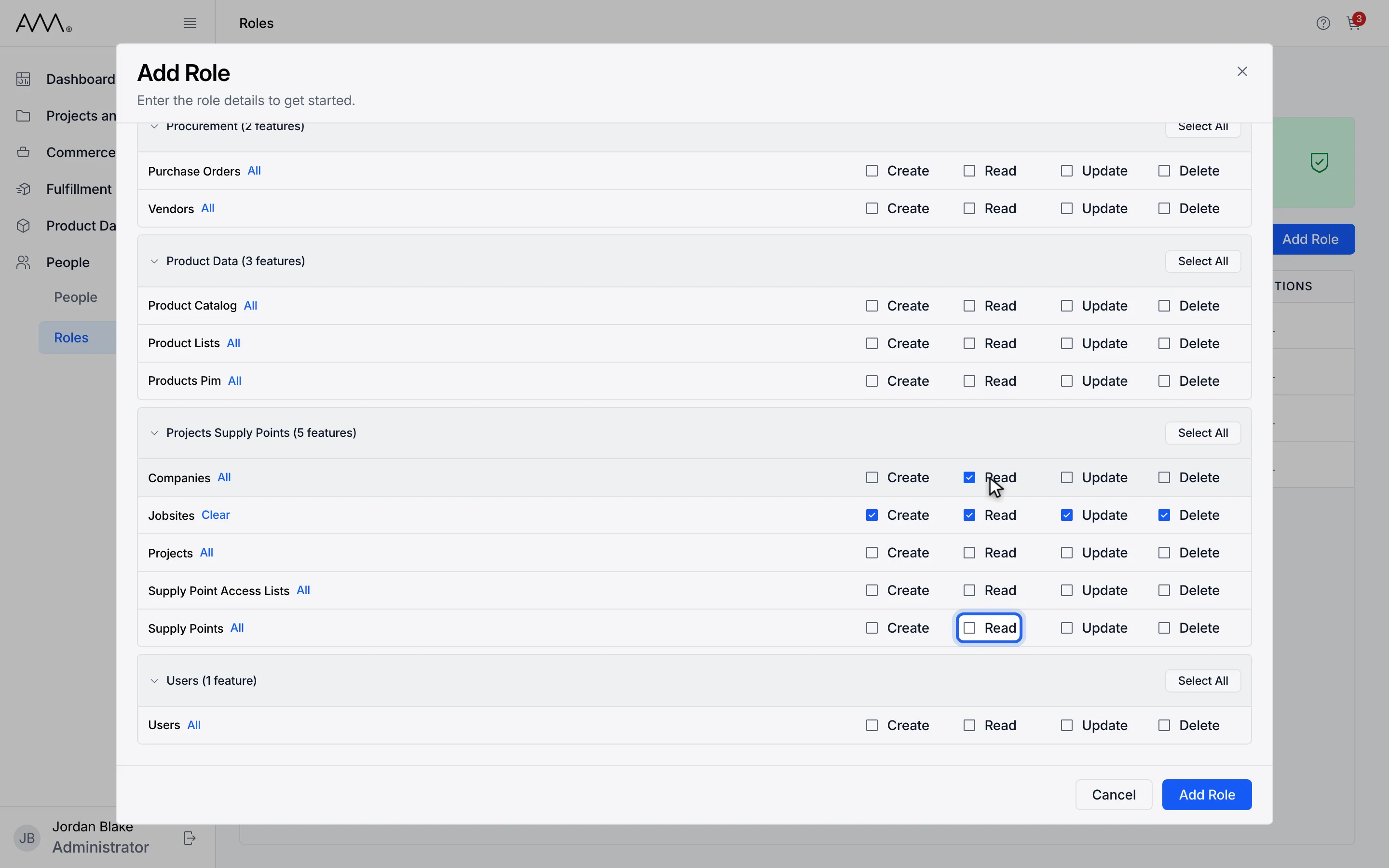
6Tick Supply Points Read.
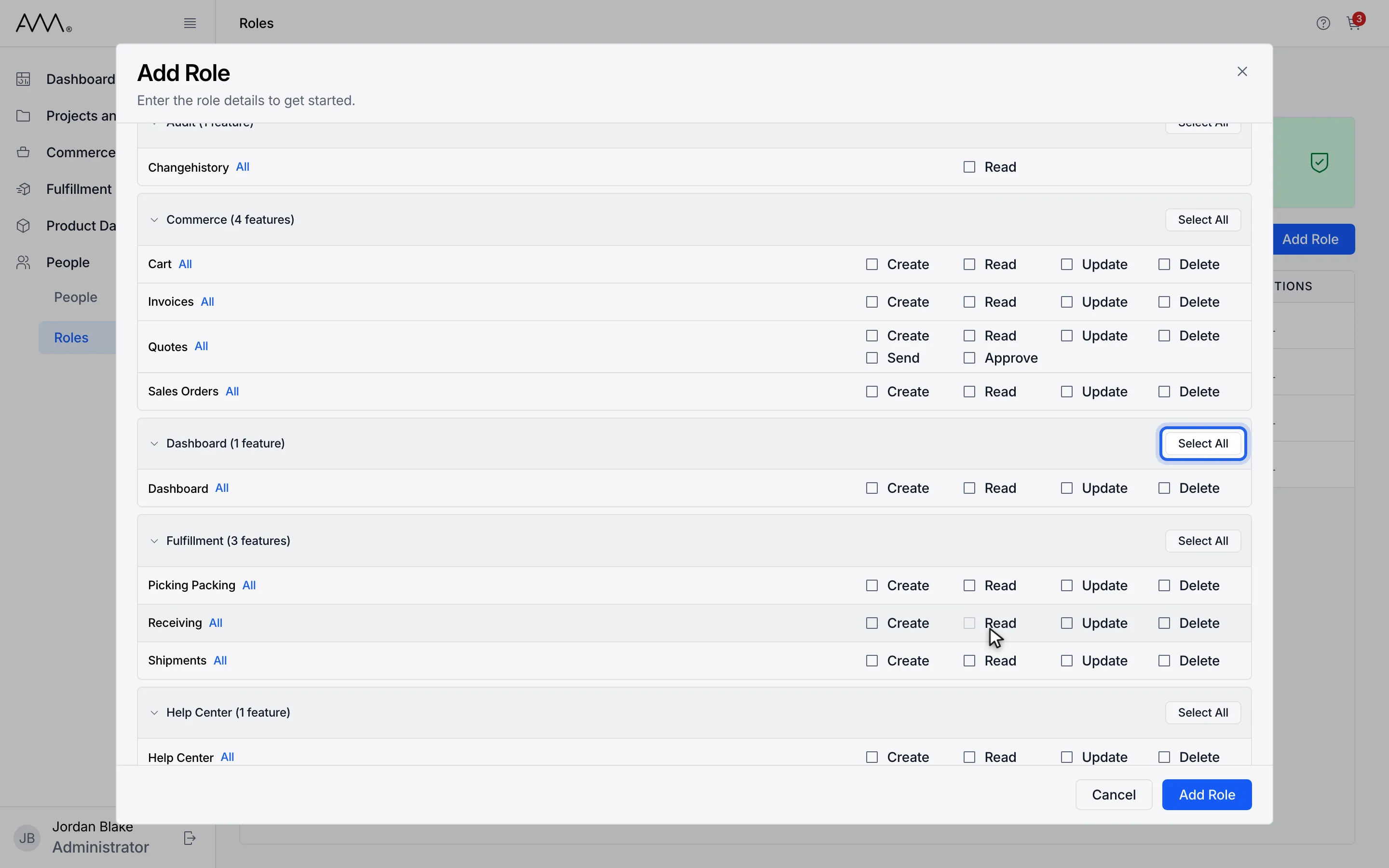
7Use Select All on a module to grant everything in it.
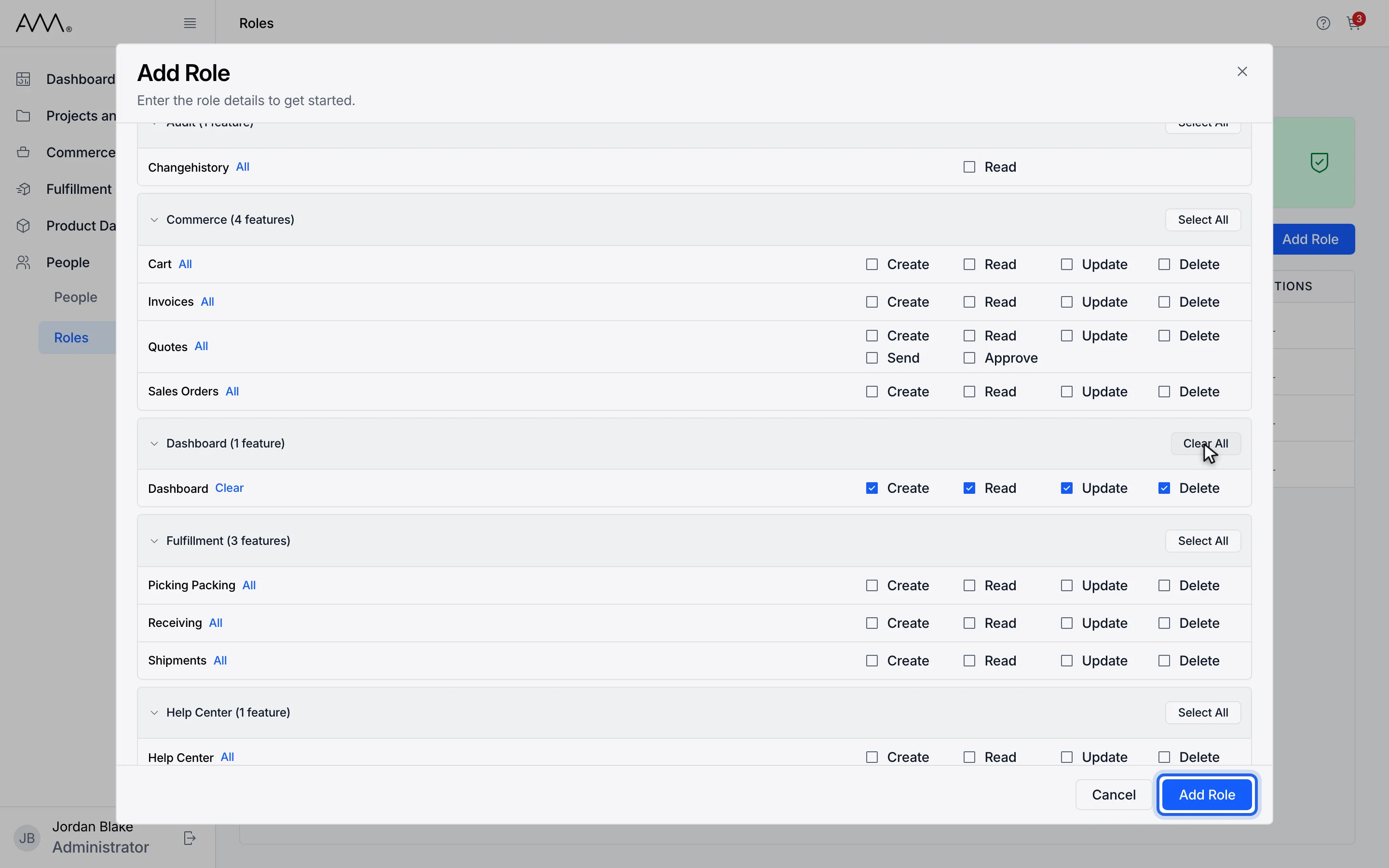
8Click Add Role.
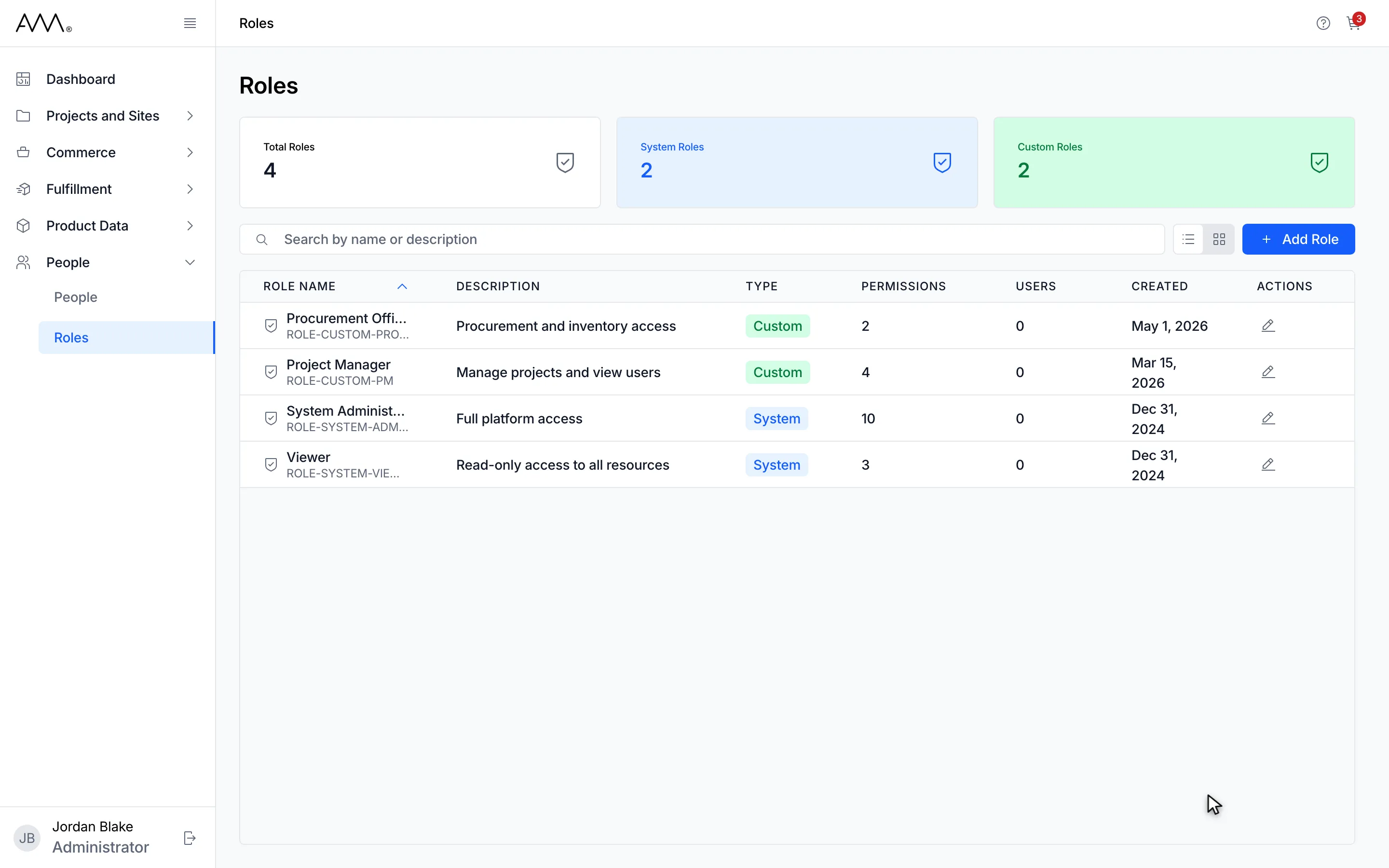
9The dialog closes and Omni returns to the Roles list.
Watch this as a video (create a role)
What happens next
Section titled “What happens next”The dialog closes and the Roles list refreshes with the new role, marked Custom. There is no confirmation message.
If the name is already used, the dialog stays open and shows A role with this name already exists. under Role Name. For any other problem it shows Failed to create role. Please try again.
A role can be saved with no permissions. If the permission list fails to load, the dialog shows Couldn’t load permissions. with a Retry link.