Pick the company, jobsite and supply point
The Project Details card on the edit form holds three searchable fields: Company, Jobsite and Supply Point. Pick them in any order. Each list offers only the values that fit what you have already picked, and a list never picks for you, even when one option is left.
- Open the quote. See Find a quote.
- Click Actions.
- Choose Edit.
- Open Jobsite. With a company picked, only that company’s jobsites are listed.
- Open Supply Point. With a jobsite picked, only that jobsite’s supply points are listed.
- Type part of a name, for example Warehouse A, to narrow the list.
- Press Enter to pick the highlighted match, or click it. Nothing is picked until you do, even with one option left.
- Check the Shipping Address and Billing Address cards before you save.
- Click Save Changes. The Details tab shows your picks under Project Details.
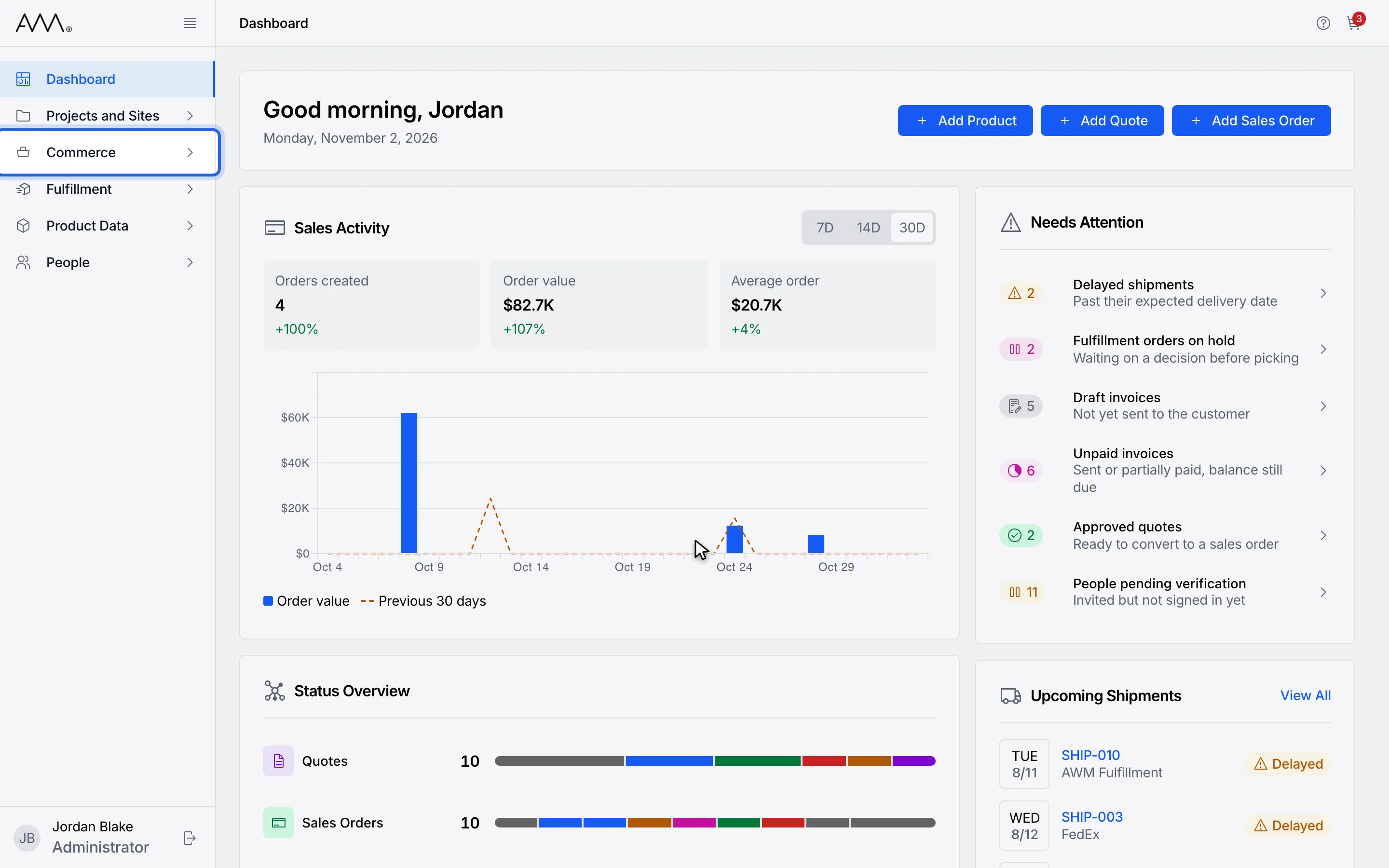
1In the sidebar, open Commerce.
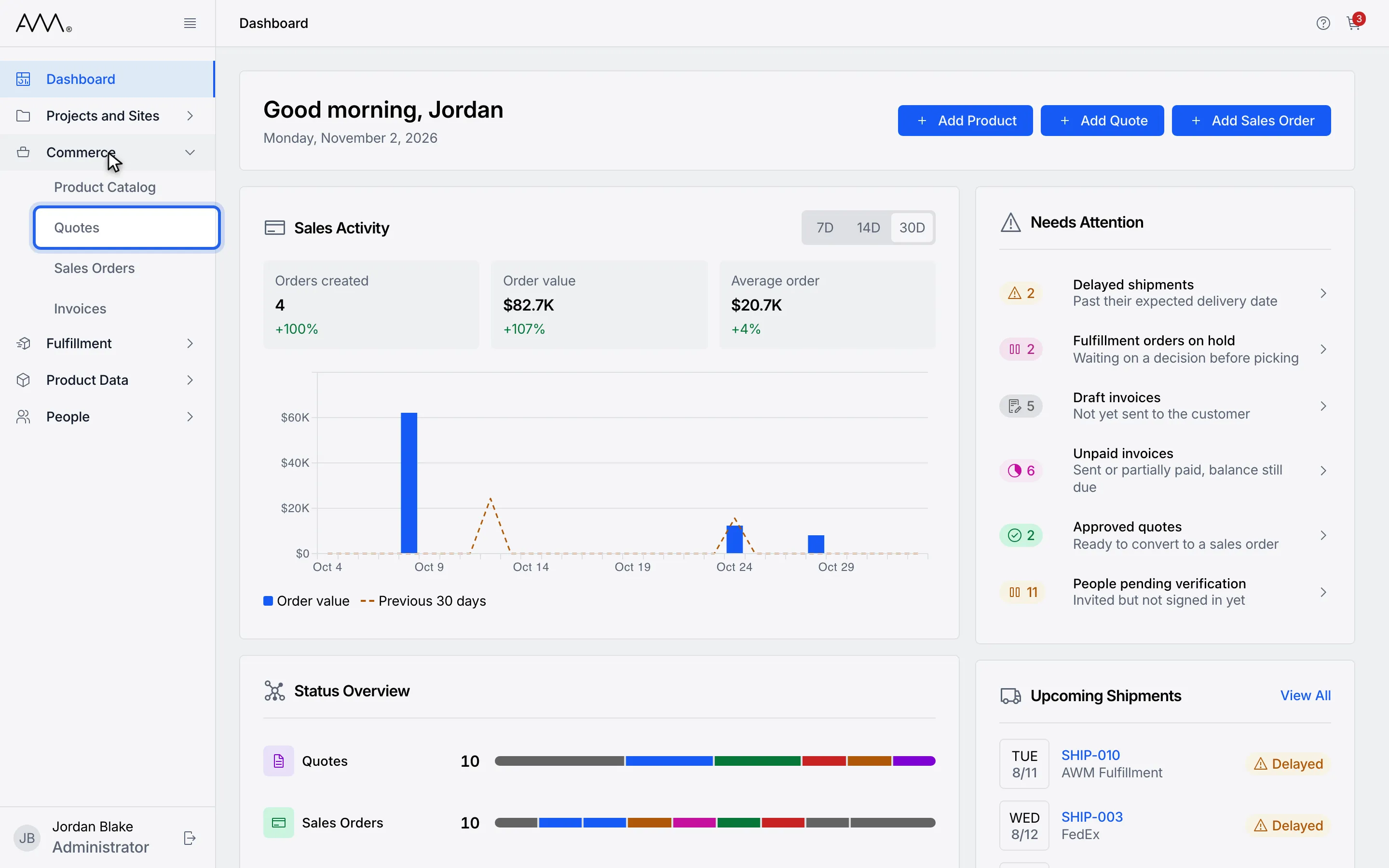
2Choose Quotes.
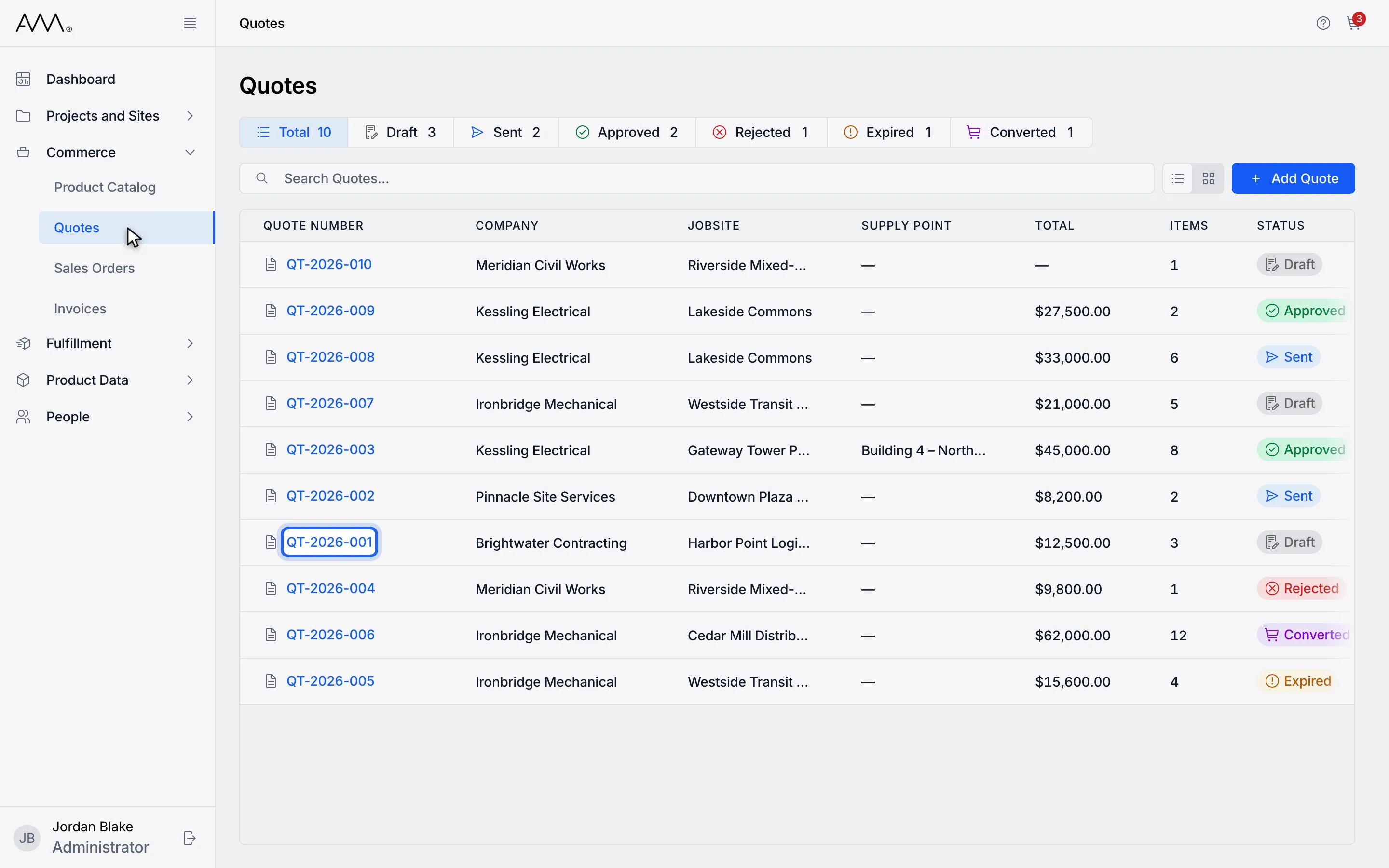
3Open a Draft or Sent quote.
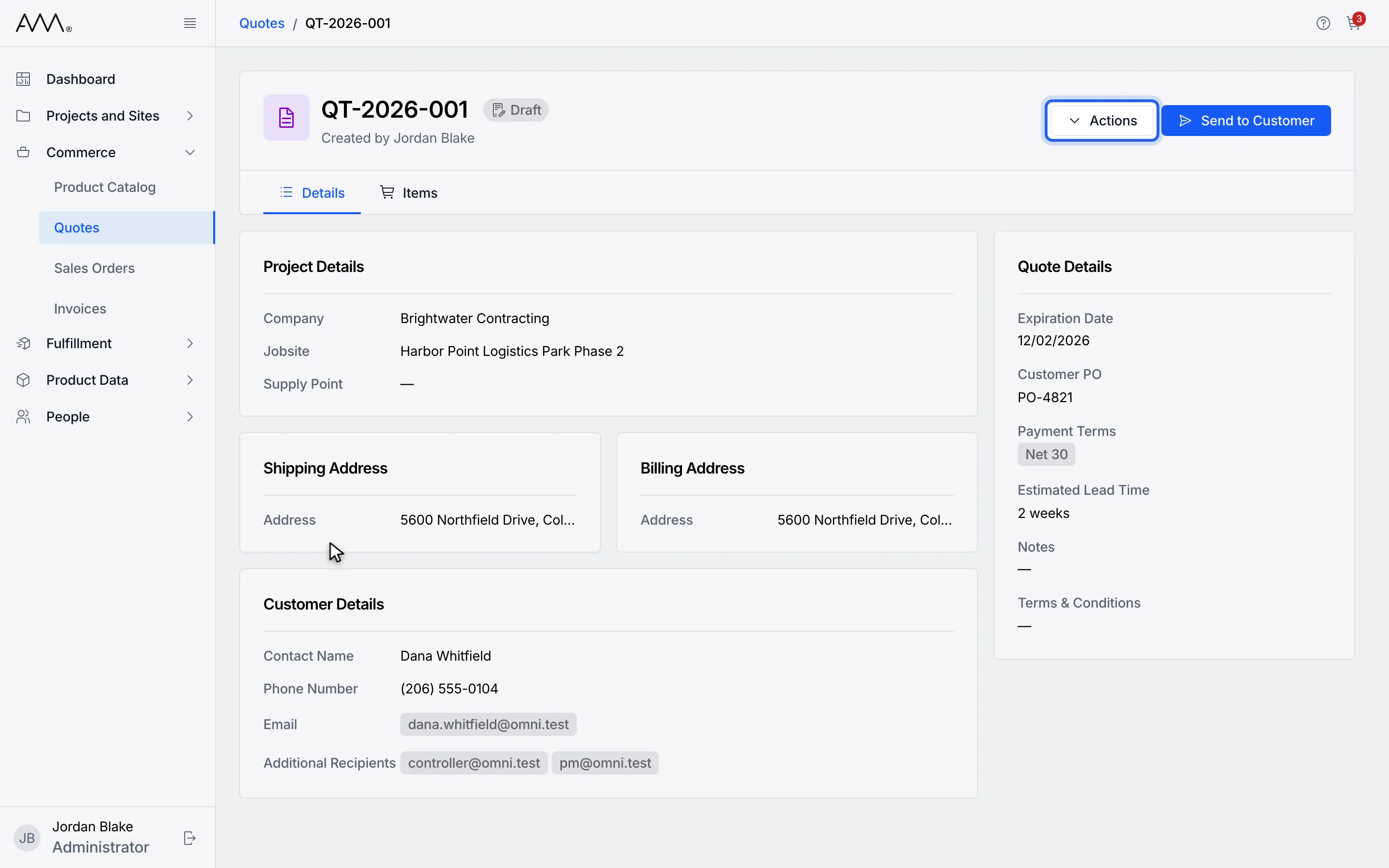
4Click Actions.
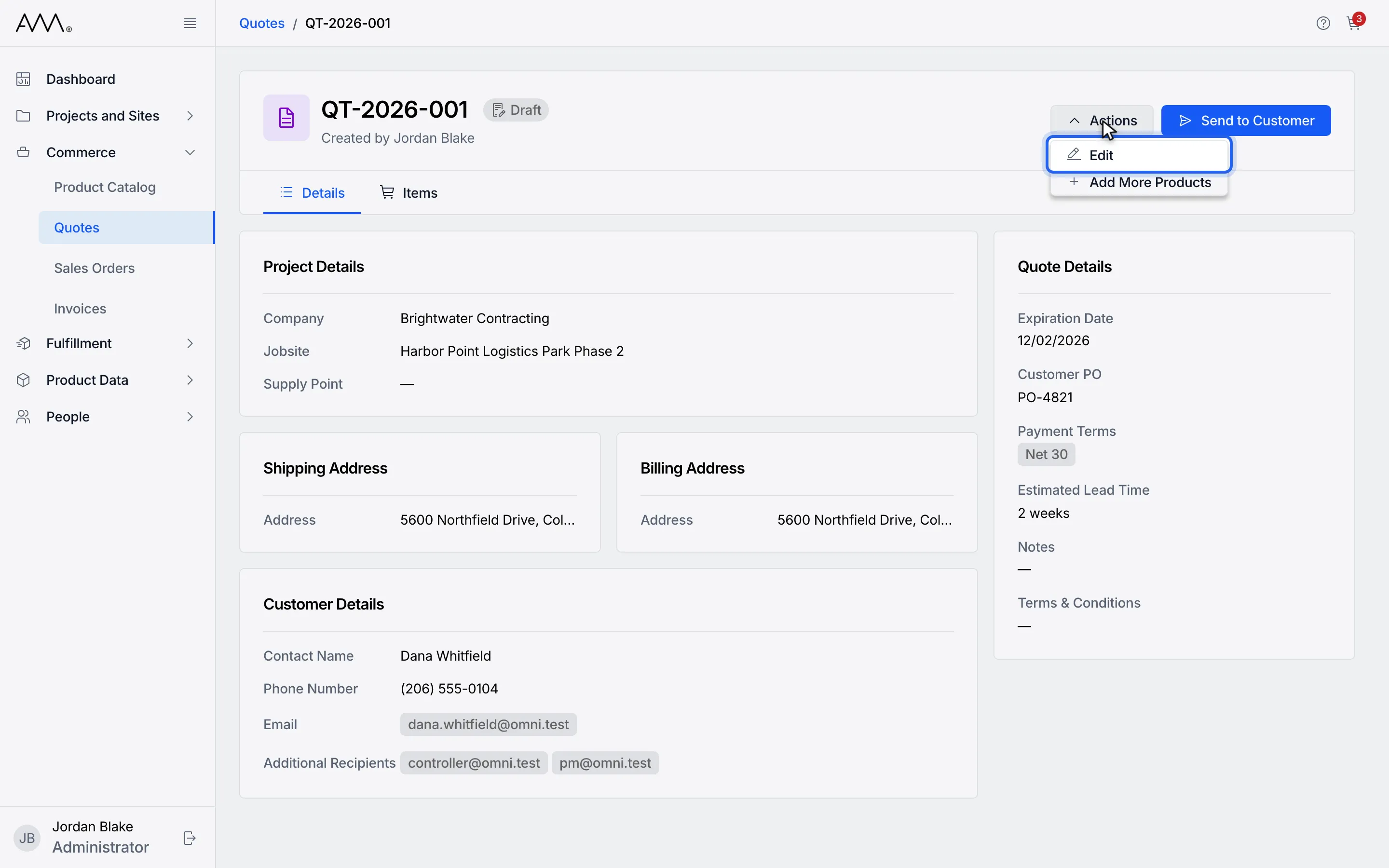
5Choose Edit.
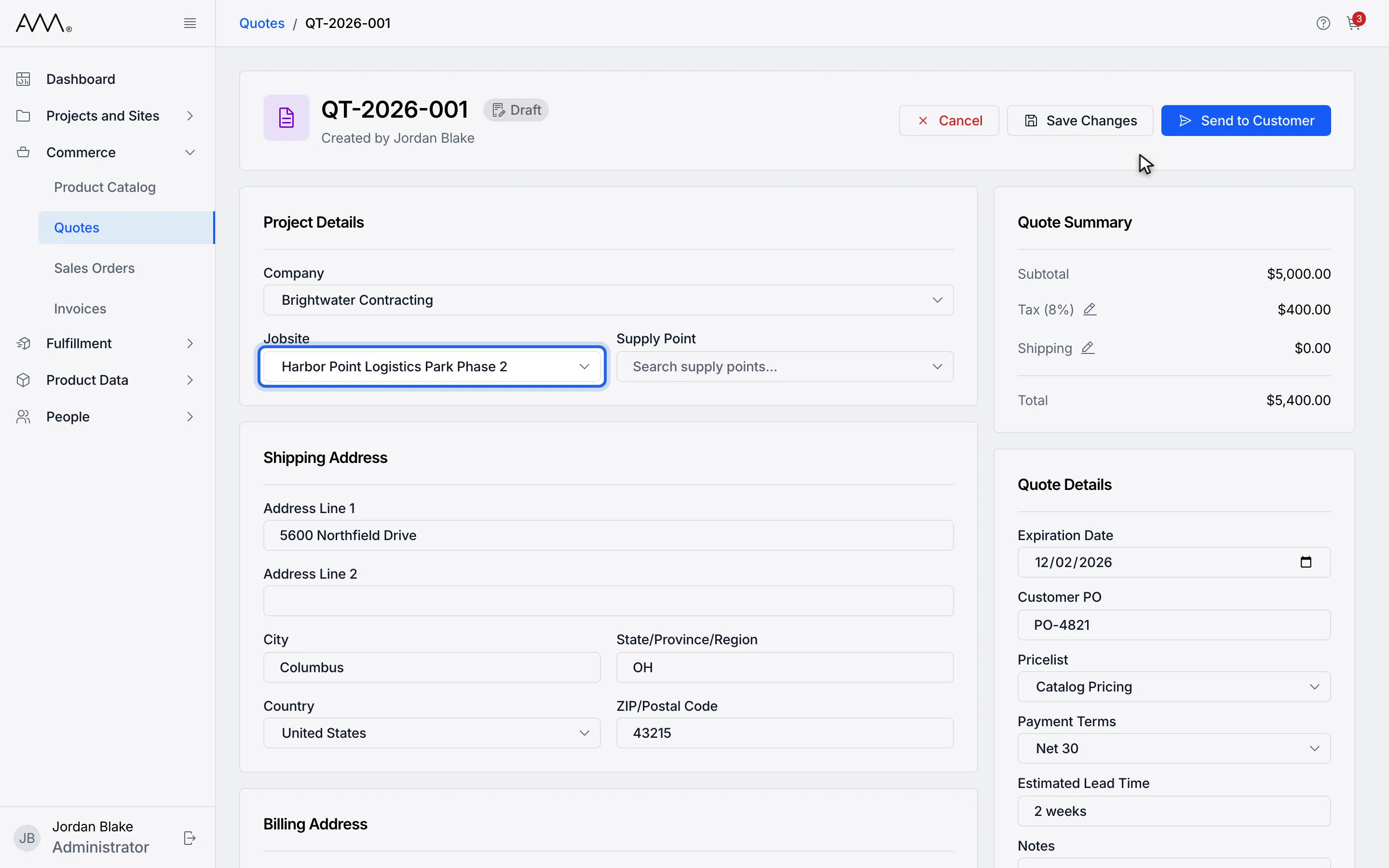
6Open Jobsite. Only the chosen company's jobsites are listed.
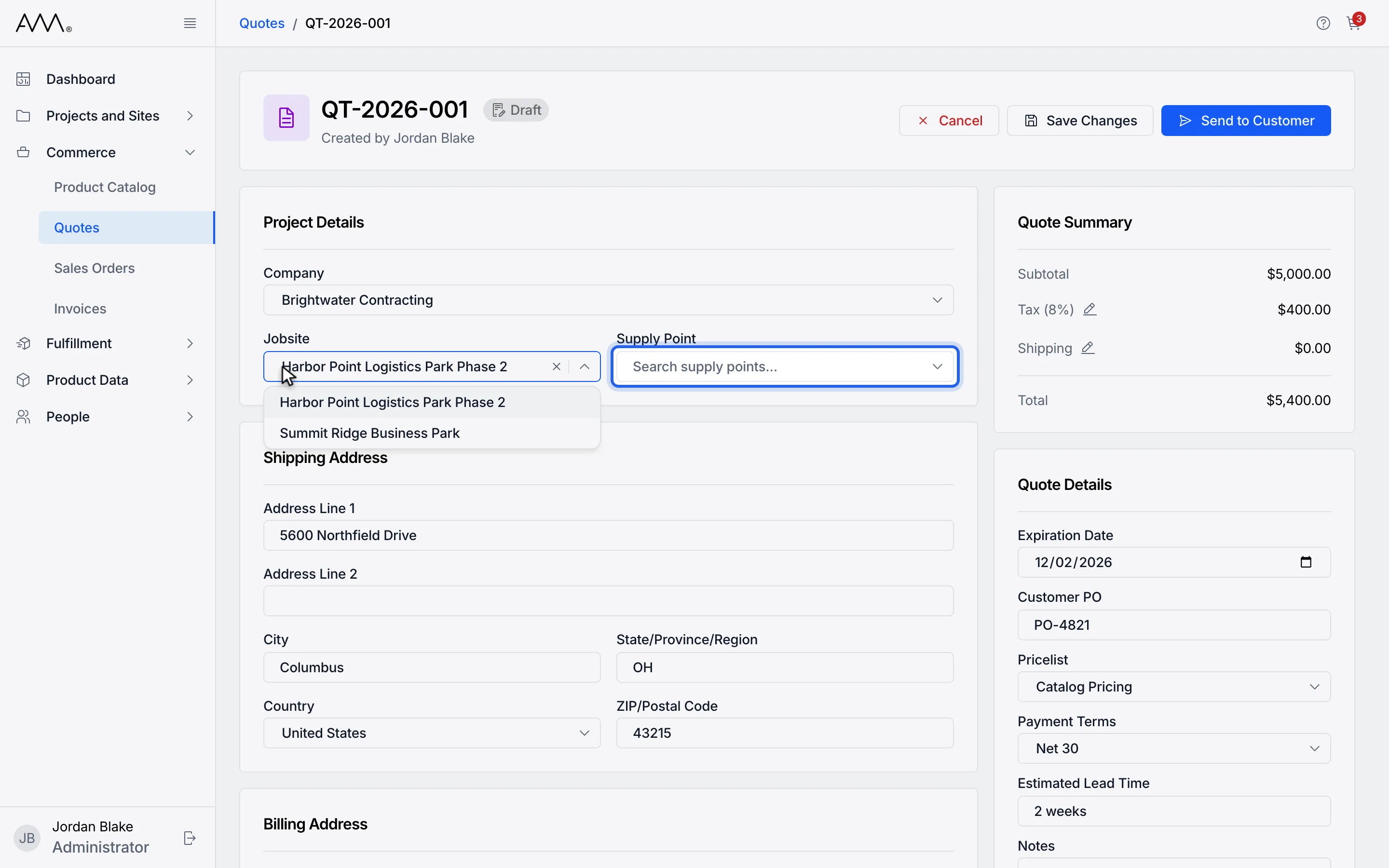
7Open Supply Point. Only the chosen jobsite's supply points are listed.
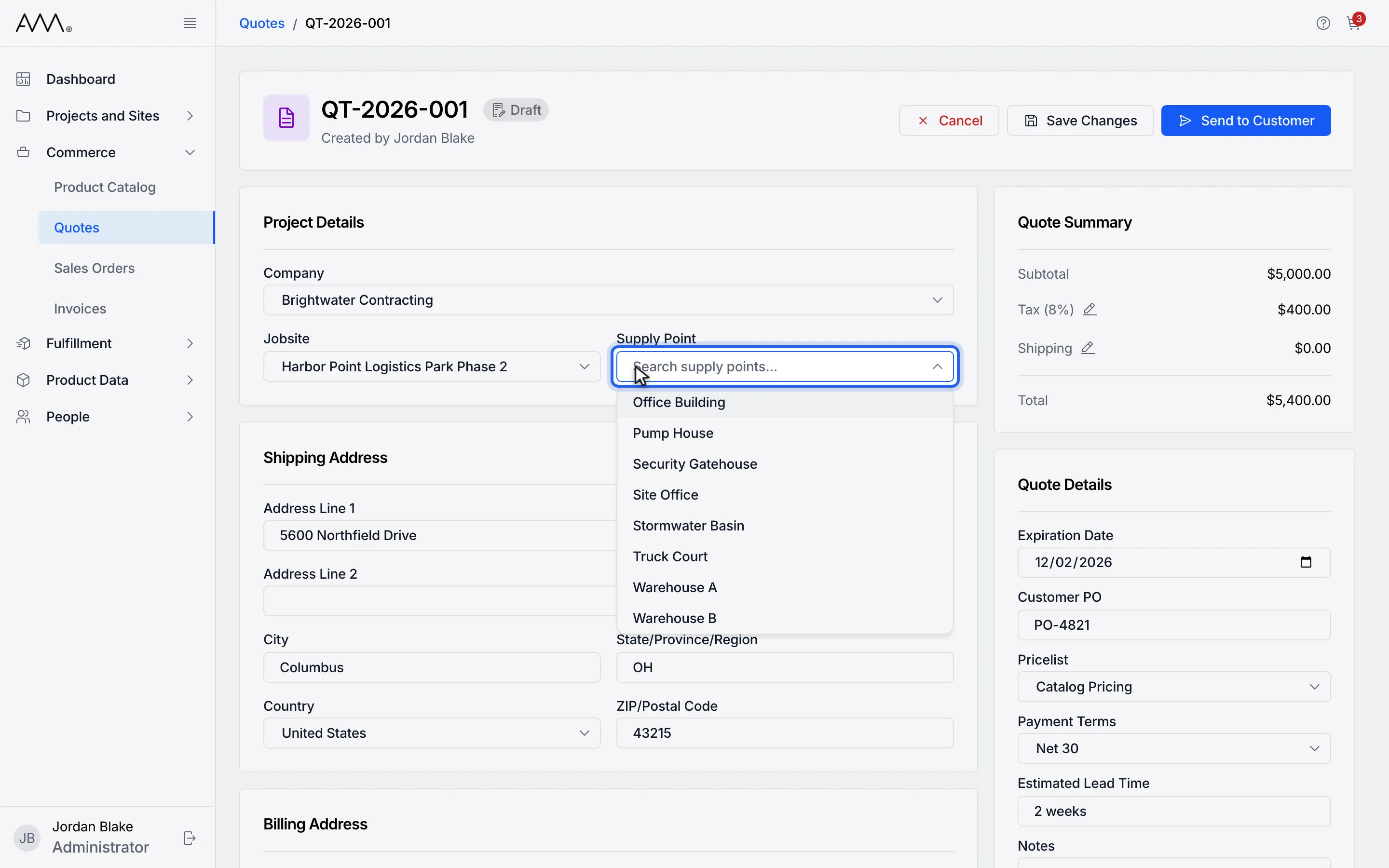
8Type to narrow the list, for example Warehouse A.
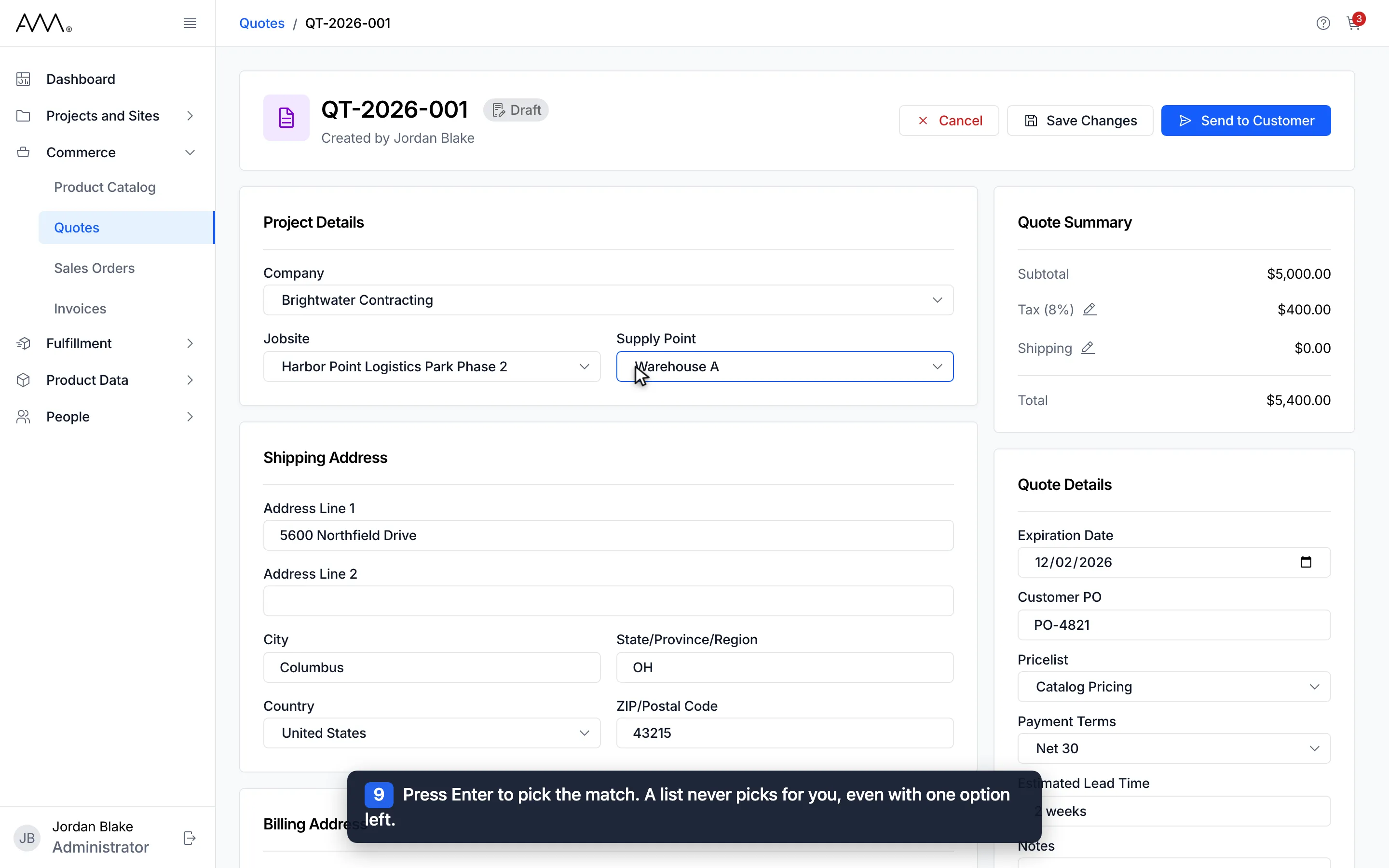
9Press Enter to pick the match. A list never picks for you, even with one option left.
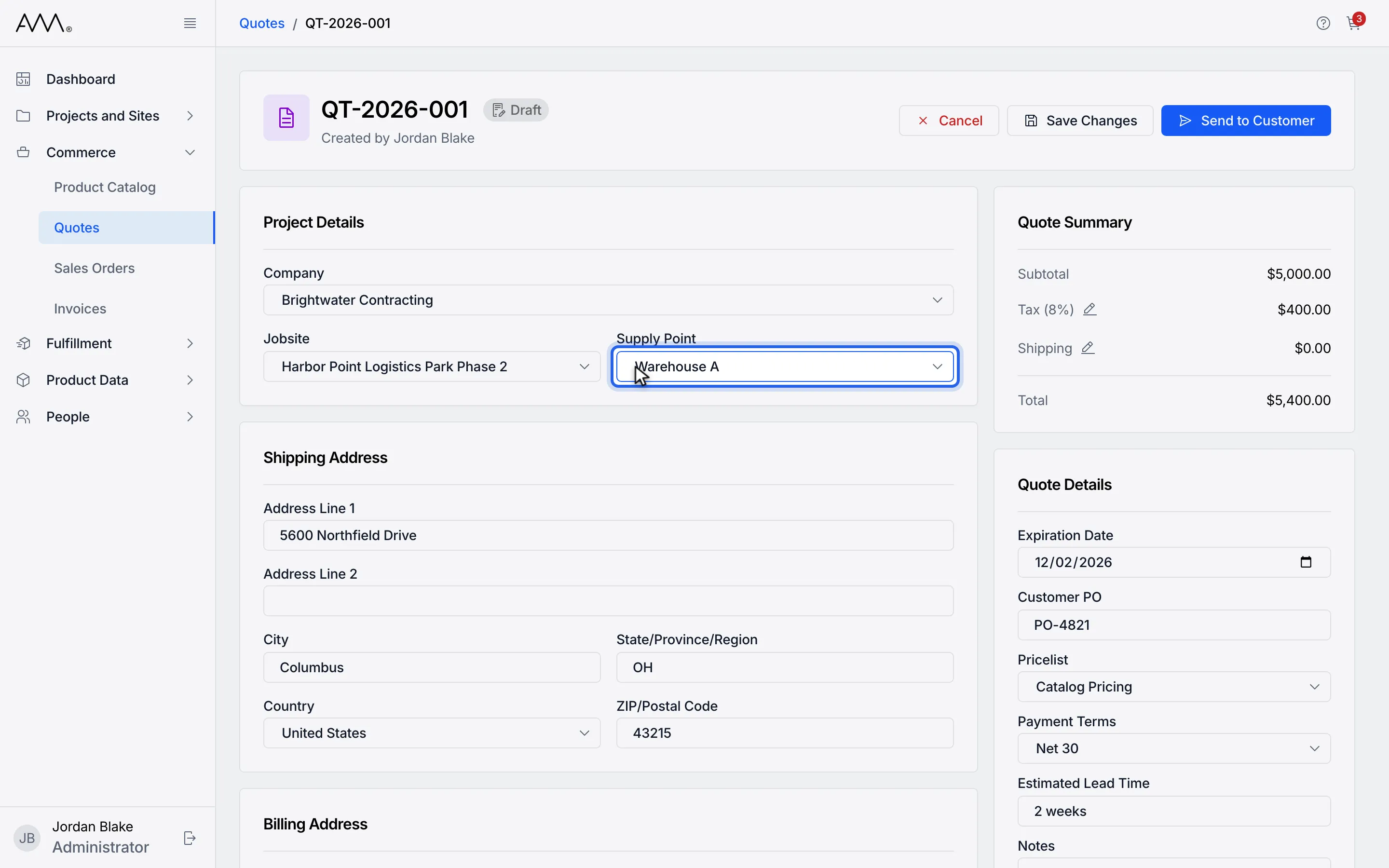
10Supply Point shows your pick. Check the addresses below before you save.
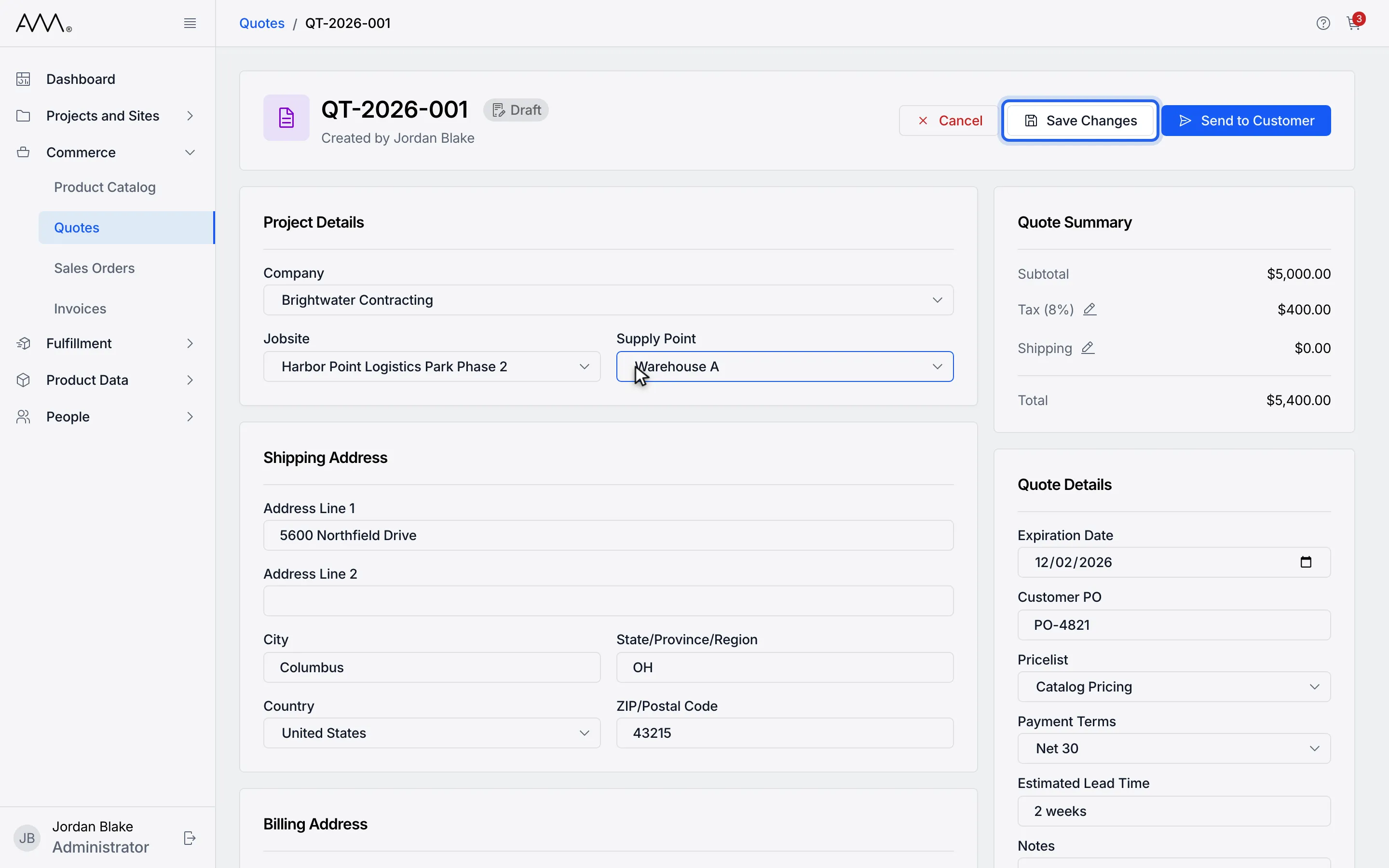
11Click Save Changes.
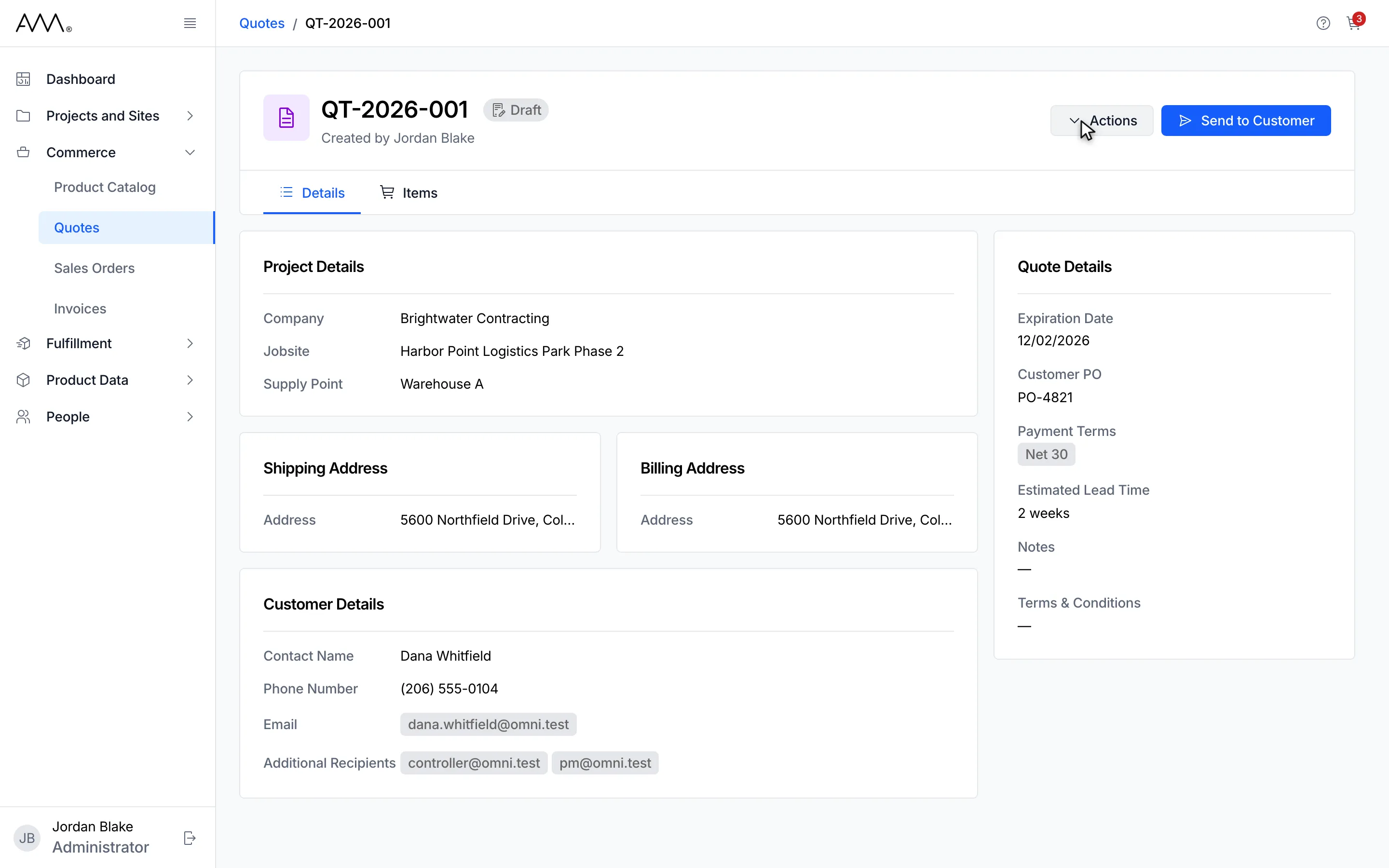
12The Details tab shows the supply point you picked.
Watch this as a video (pick the company, jobsite and supply point)
How the lists narrow
Section titled “How the lists narrow”| Field | What it offers |
|---|---|
| Company | Every Active company. With a jobsite picked, or a supply point that belongs to a jobsite, only that jobsite’s company. |
| Jobsite | Every jobsite. With a company picked, only its jobsites. With a supply point picked, only the supply point’s jobsite. |
| Supply Point | Every supply point. With a company picked, the supply points of its jobsites plus its unassigned ones. With a jobsite picked, only that jobsite’s supply points. |
The lists are read each time you open them, so they always reflect your current picks. To widen a list again, clear the field that narrows it with its ✕.