Edit a product's price or margin
Editing a product’s FINAL PRICE or MARGIN % in the price table creates an override for that product: a price that stays put whatever the global adjustment says. Clearing the cell removes the override, and the product goes back to its inherited price.
- Open the price list from Price Lists. The Products tab shows first.
- Click the product’s FINAL PRICE value. It becomes an input.
- Type the new price and press Enter. Press Escape to cancel instead.
- To price by margin, click the product’s MARGIN % value instead.
- Type the margin percentage and press Enter. If the resulting price differs from the current final price by more than 25%, the dialog Confirm large price change appears.
- Click Confirm change to apply it, or Cancel to keep the current price.
- To clear an override, click the product’s FINAL PRICE or MARGIN % value again.
- Delete the value and press Enter. The product returns to its inherited price.
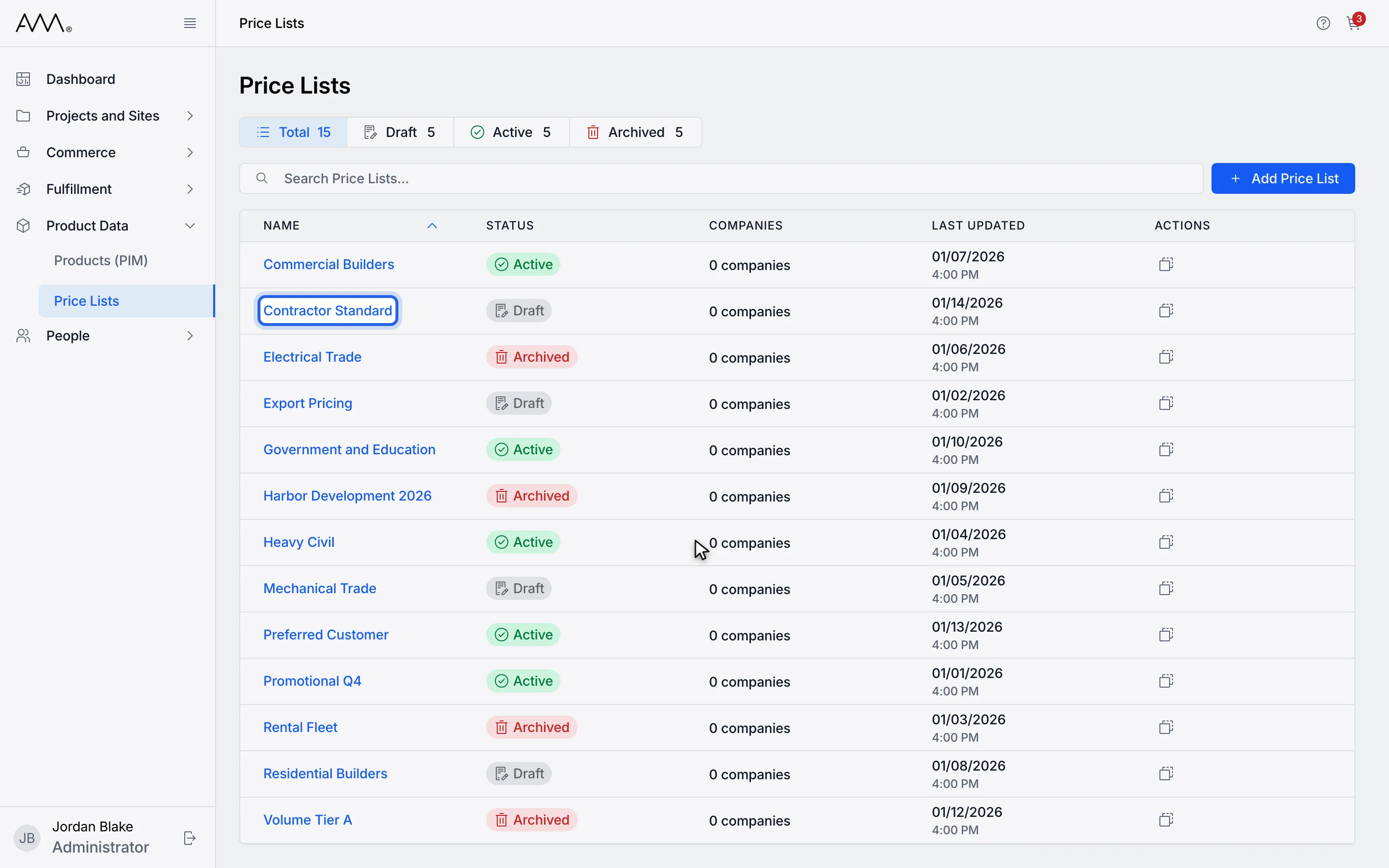
1Open the price list. The Products tab shows first.
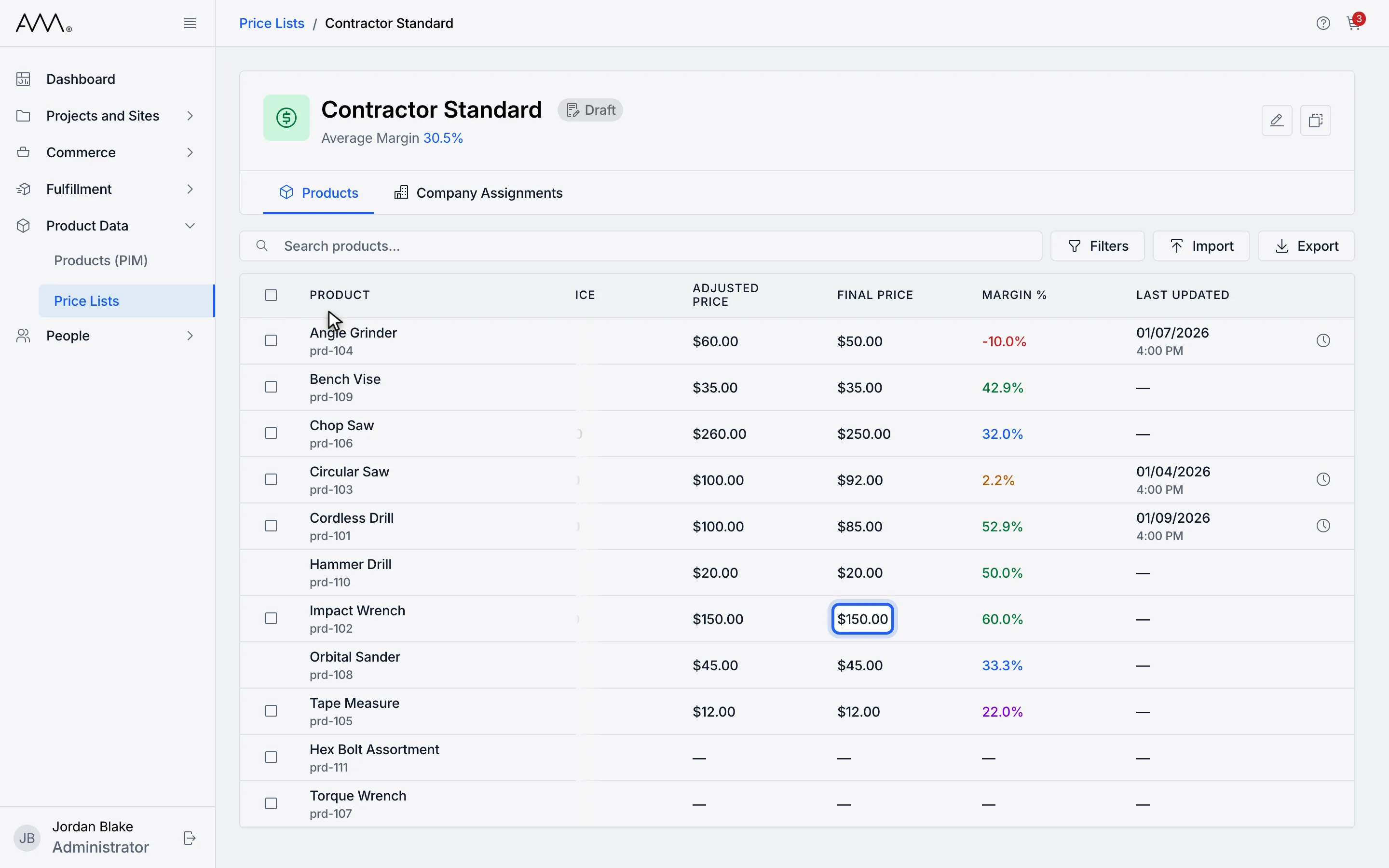
2Click a product's FINAL PRICE value to open the editor.
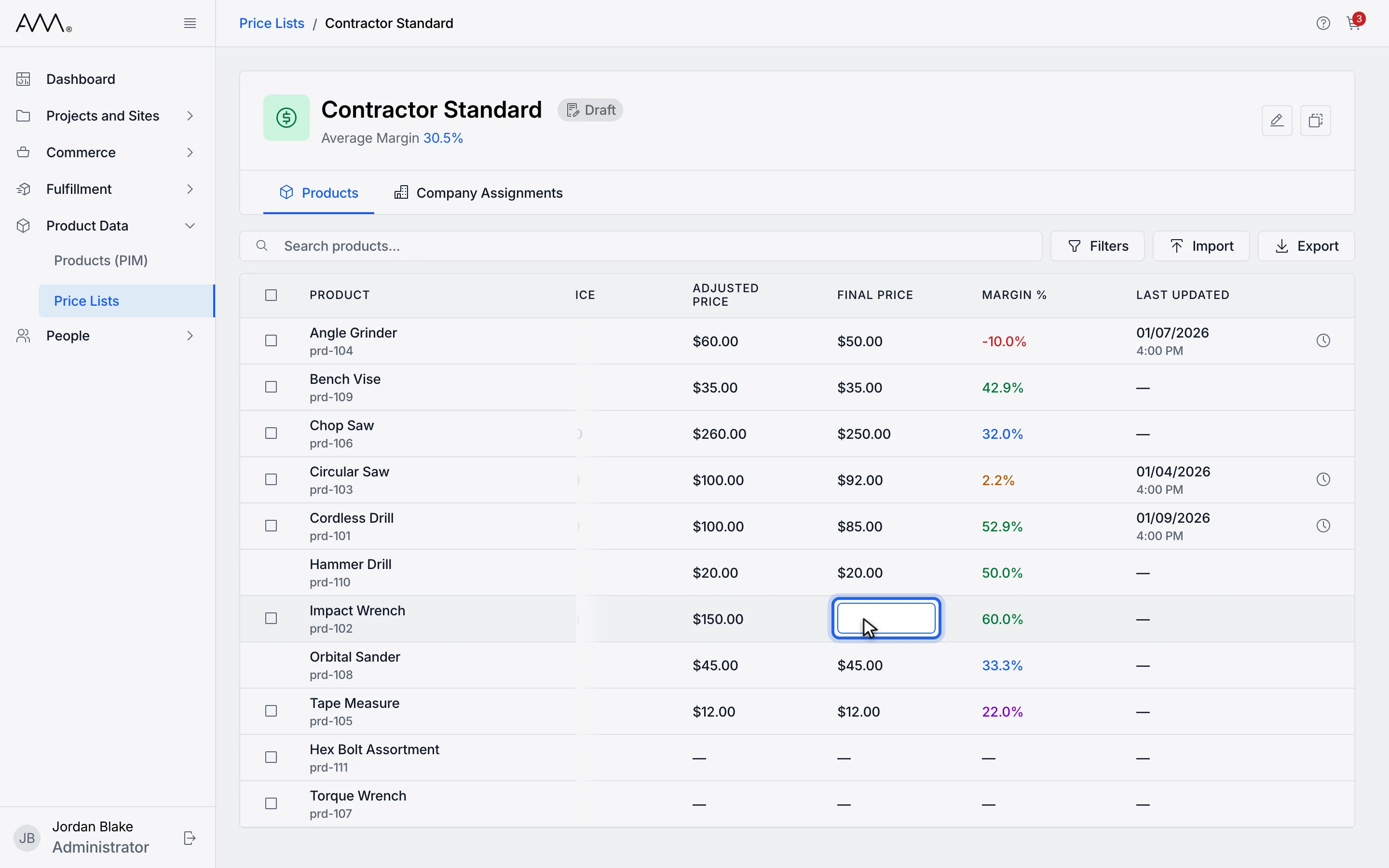
3Type the new price and press Enter.
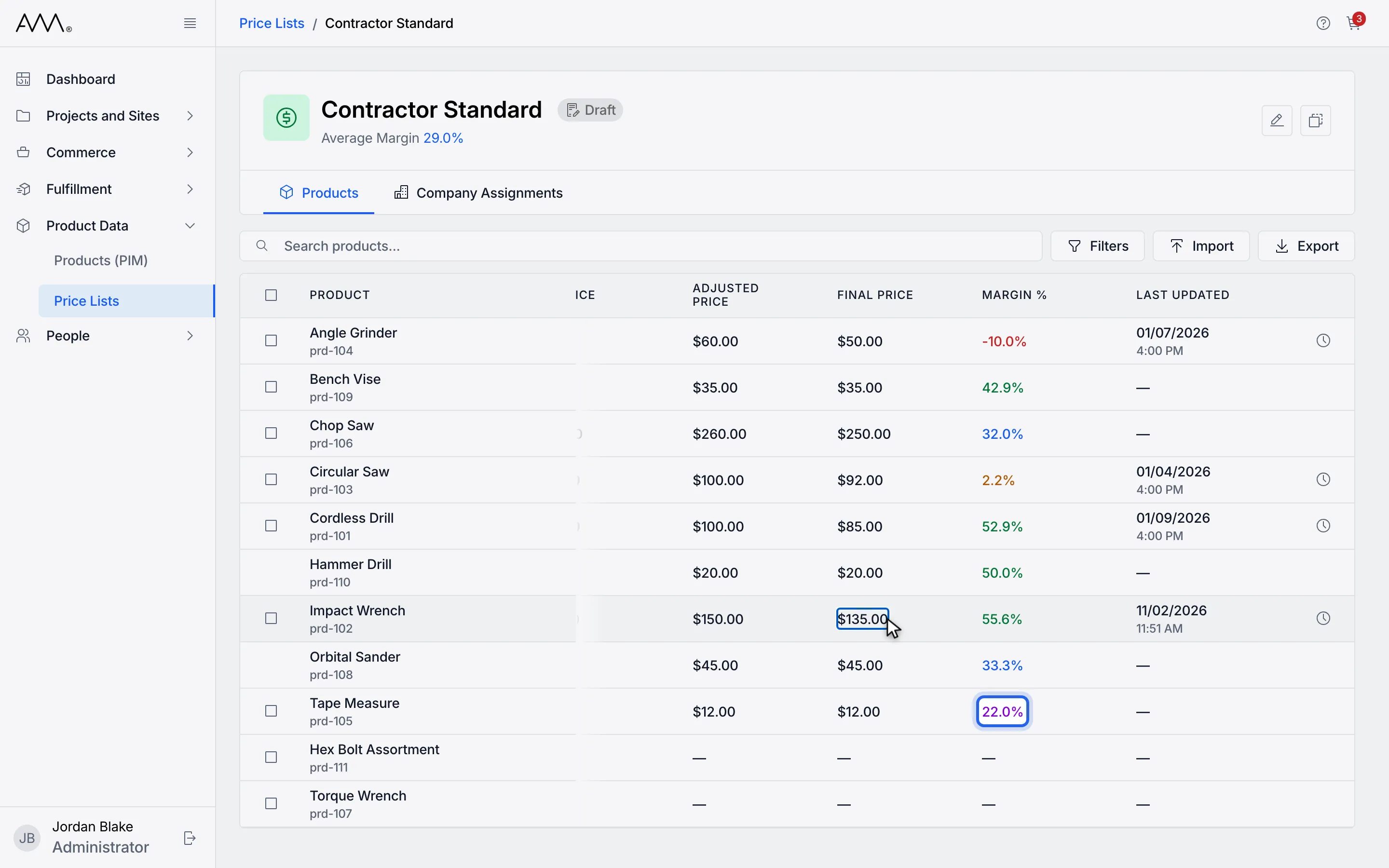
4Or click a MARGIN % value to price the product by margin instead.
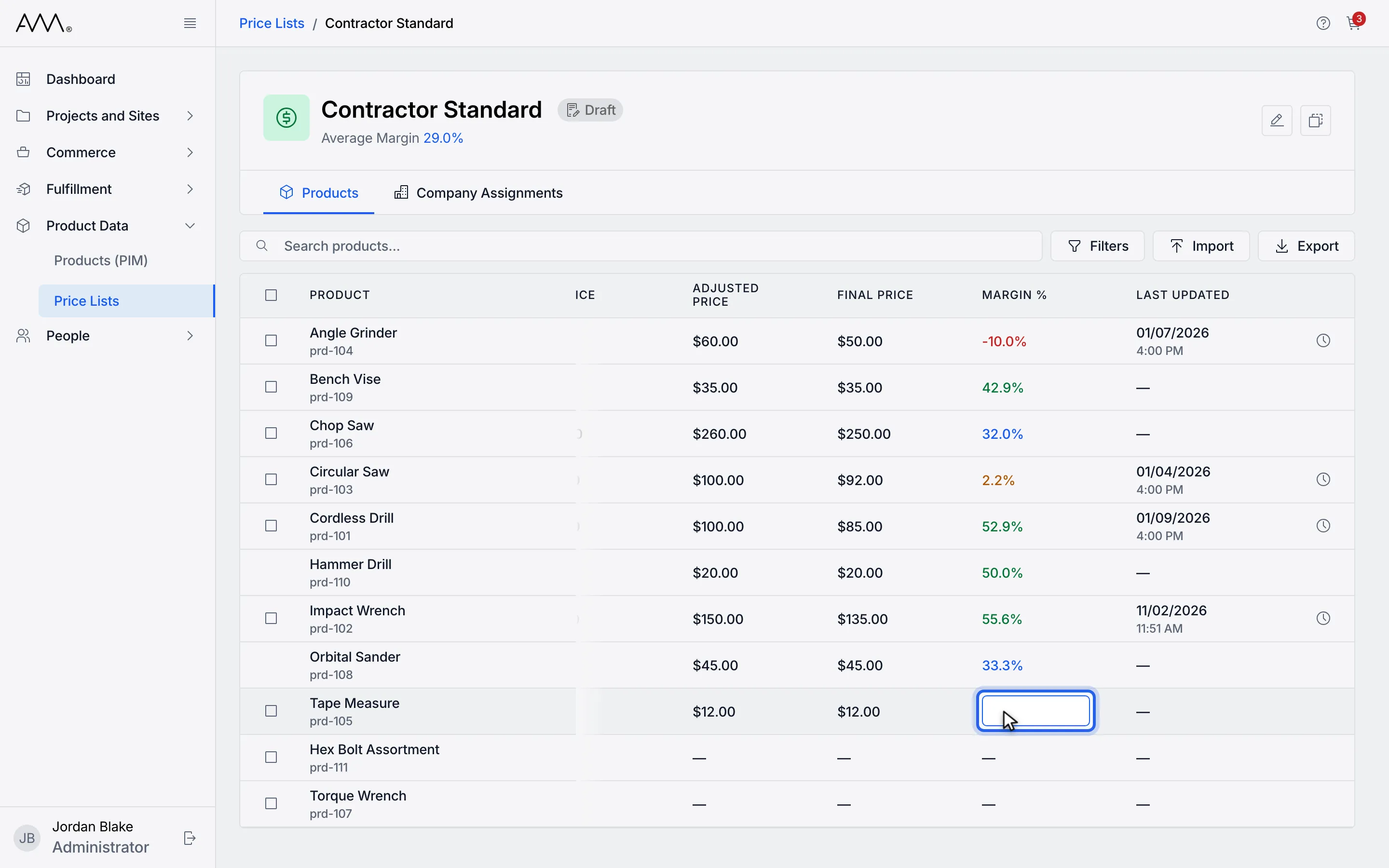
5Type the margin and press Enter. A change over 25% asks you to confirm.
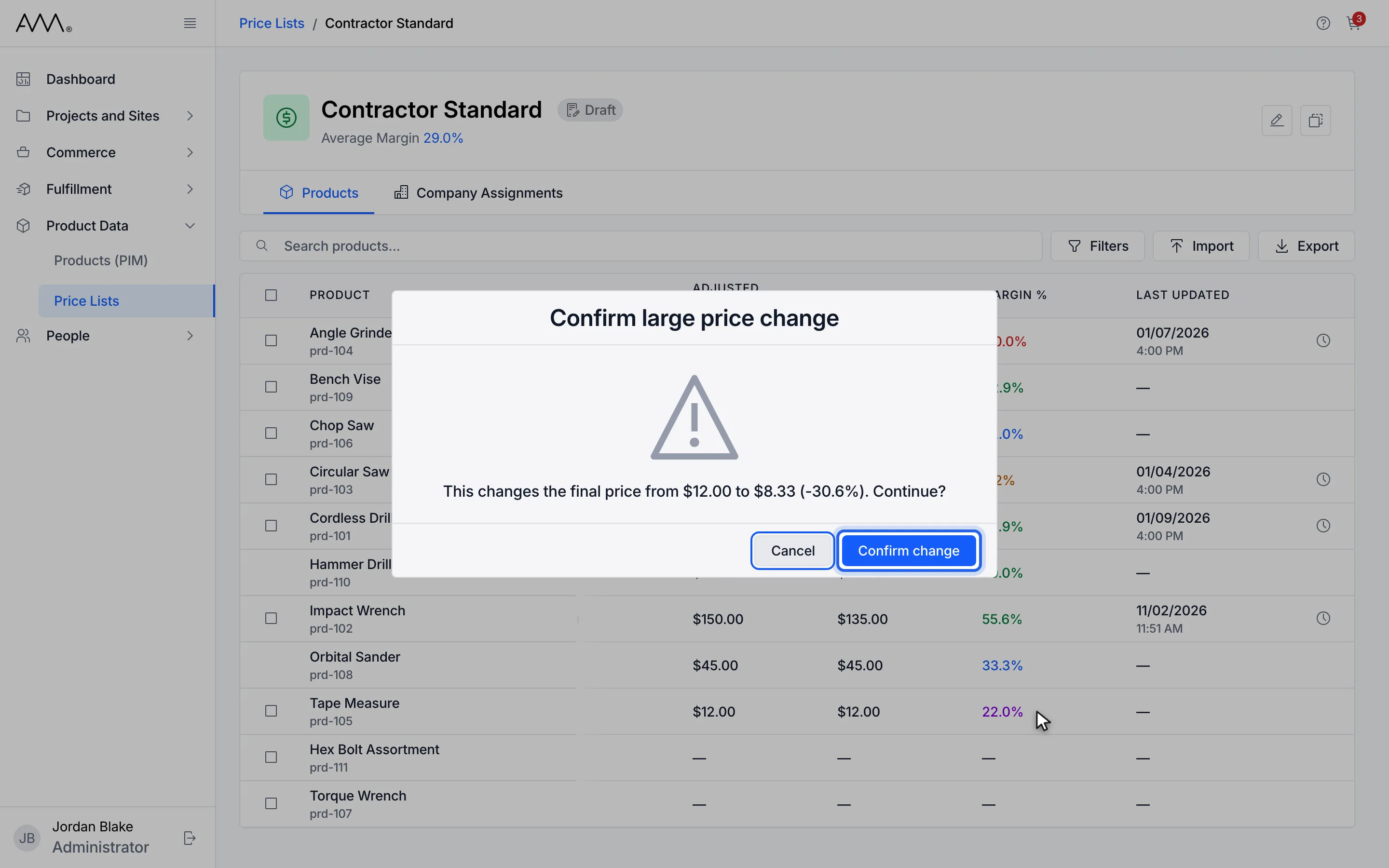
6Click Confirm change.
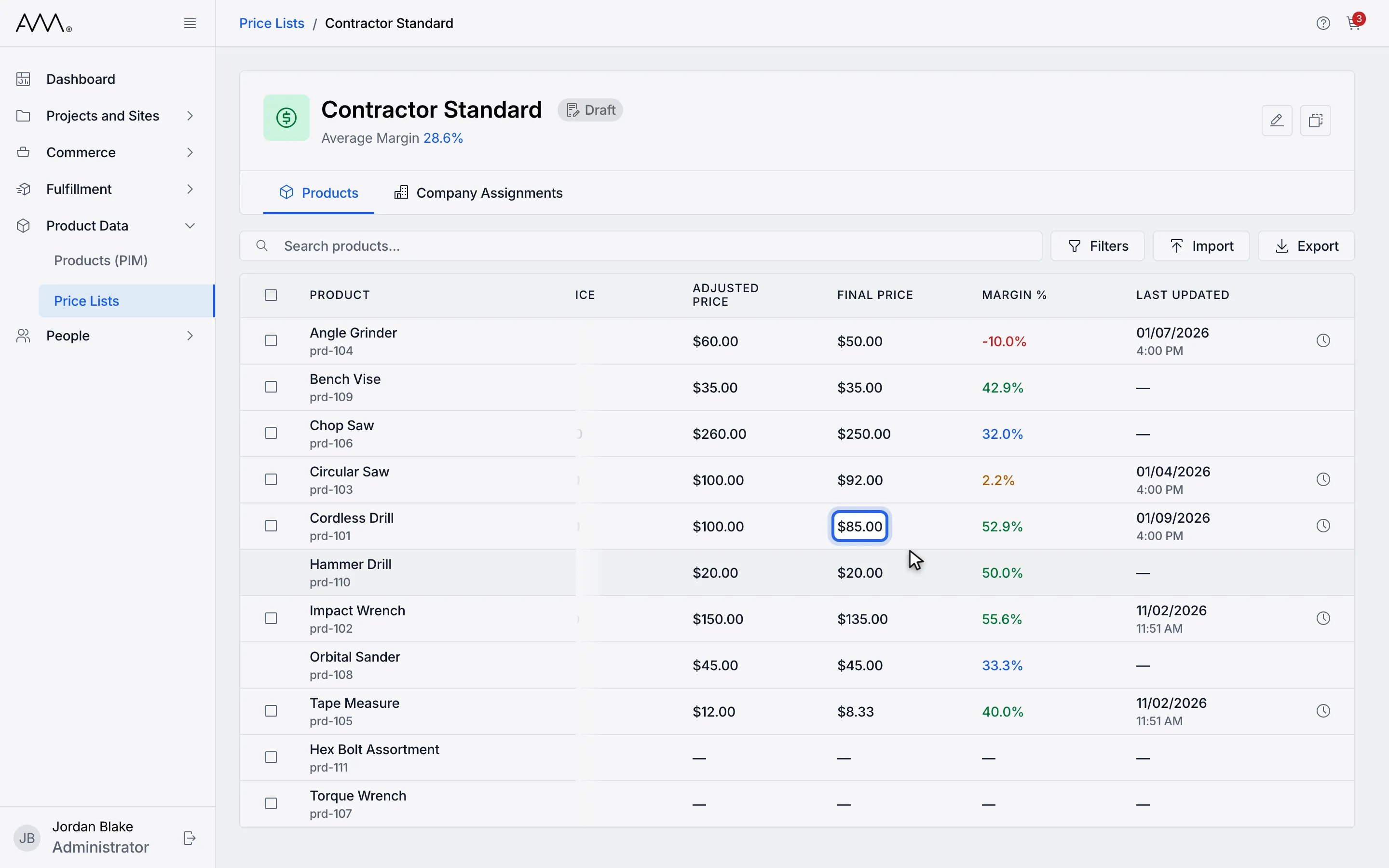
7To clear an override, open the cell again.
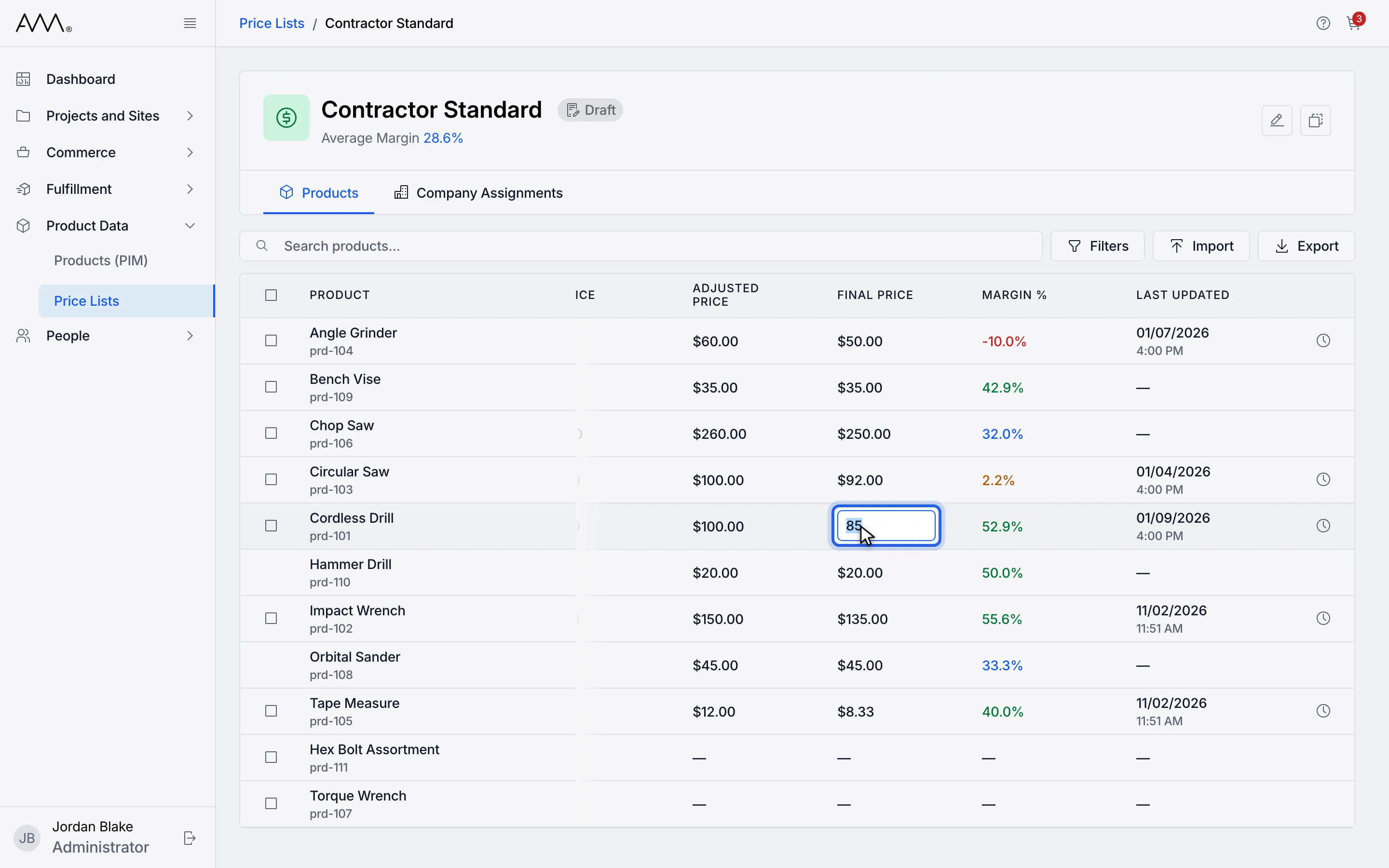
8Delete the value and press Enter. The price returns to the inherited price.
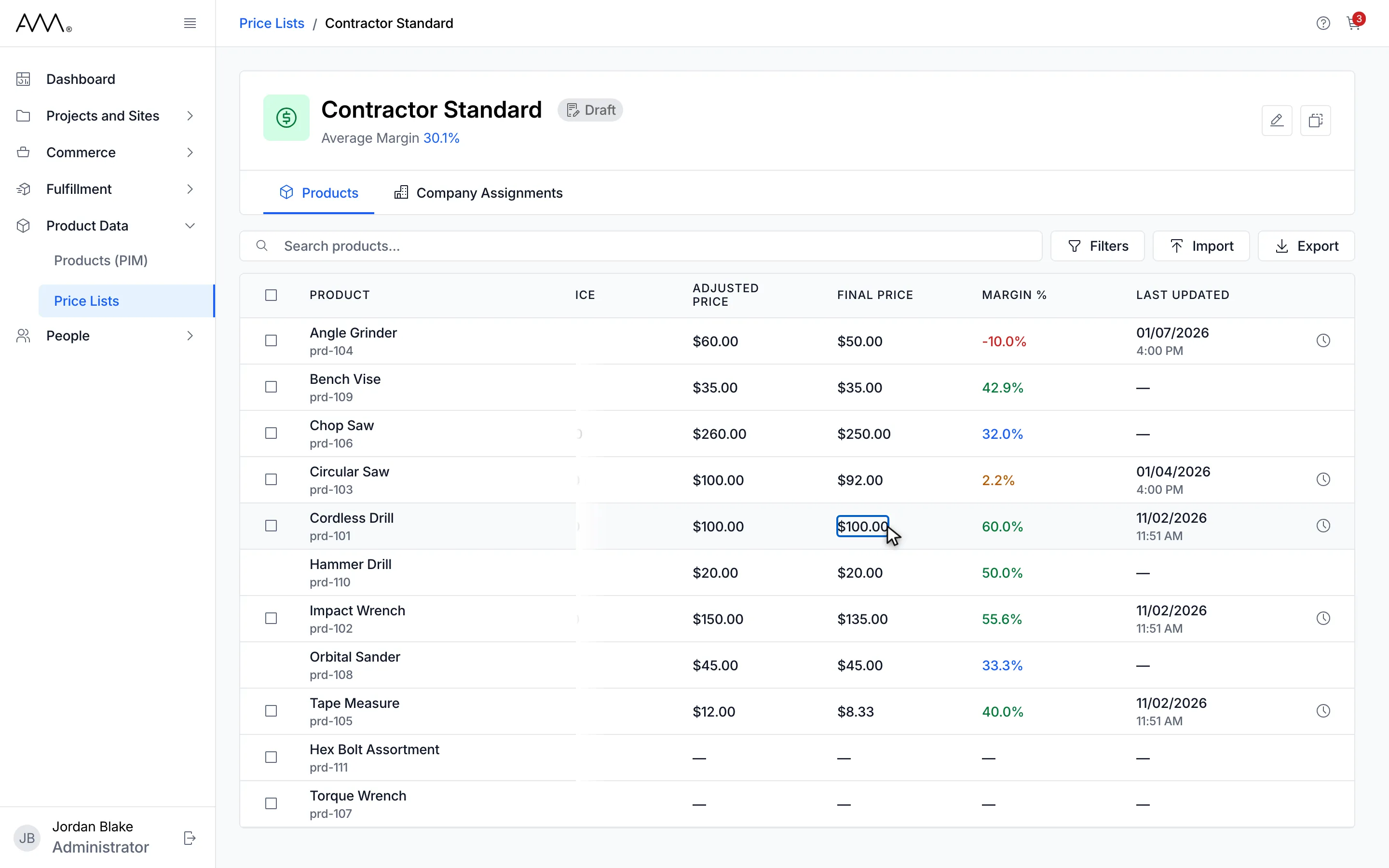
9Edited rows show their new price and margin; the cleared row is back to its inherited price.
Watch this as a video (edit a product price)
What happens next
Section titled “What happens next”The row refreshes with its new FINAL PRICE, MARGIN % and LAST UPDATED, the History icon appears at the end of the row, and the header’s Average Margin updates. There is no toast. Clicking away from the cell saves it too. A final price is rounded to the cent before it is saved, so 1.005 becomes 1.01. The large-change confirmation applies to clearing as well, when going back to the inherited price moves the final price by more than 25%.
If what you typed is not accepted, an error toast appears with Enter a number., Final price must be 0 or more., Margin must be 0% or more or Margin must be below 100%. Click Dismiss to close it.