Roles
A Role is a named set of permissions. You assign roles to people, and the permissions in those roles decide which parts of Omni a person can open and which actions they can take. A person can hold several roles.
Where to find it
Section titled “Where to find it”In the sidebar, open People and choose Roles. You need the Roles: Read permission to see the entry.
How permissions work
Section titled “How permissions work”Every permission is a feature plus an action. The role editor groups features by module. For example, the Projects Supply Points module contains Companies, Jobsites, Projects, Supply Point Access Lists and Supply Points, and each feature has a checkbox for Create, Read, Update and Delete. A few features have extra actions, such as Send and Approve for Quotes and Assign for Hardware.
Omni hides what you cannot use. Sidebar entries for areas you cannot read do not appear. A page you open directly without the permission shows Access denied. Buttons such as Add Company or Edit are missing when you lack the matching action. Each how-to in this help center names the permission it needs. The full list is in the Roles reference, and Permissions maps every page to the permission it requires.
The Roles list
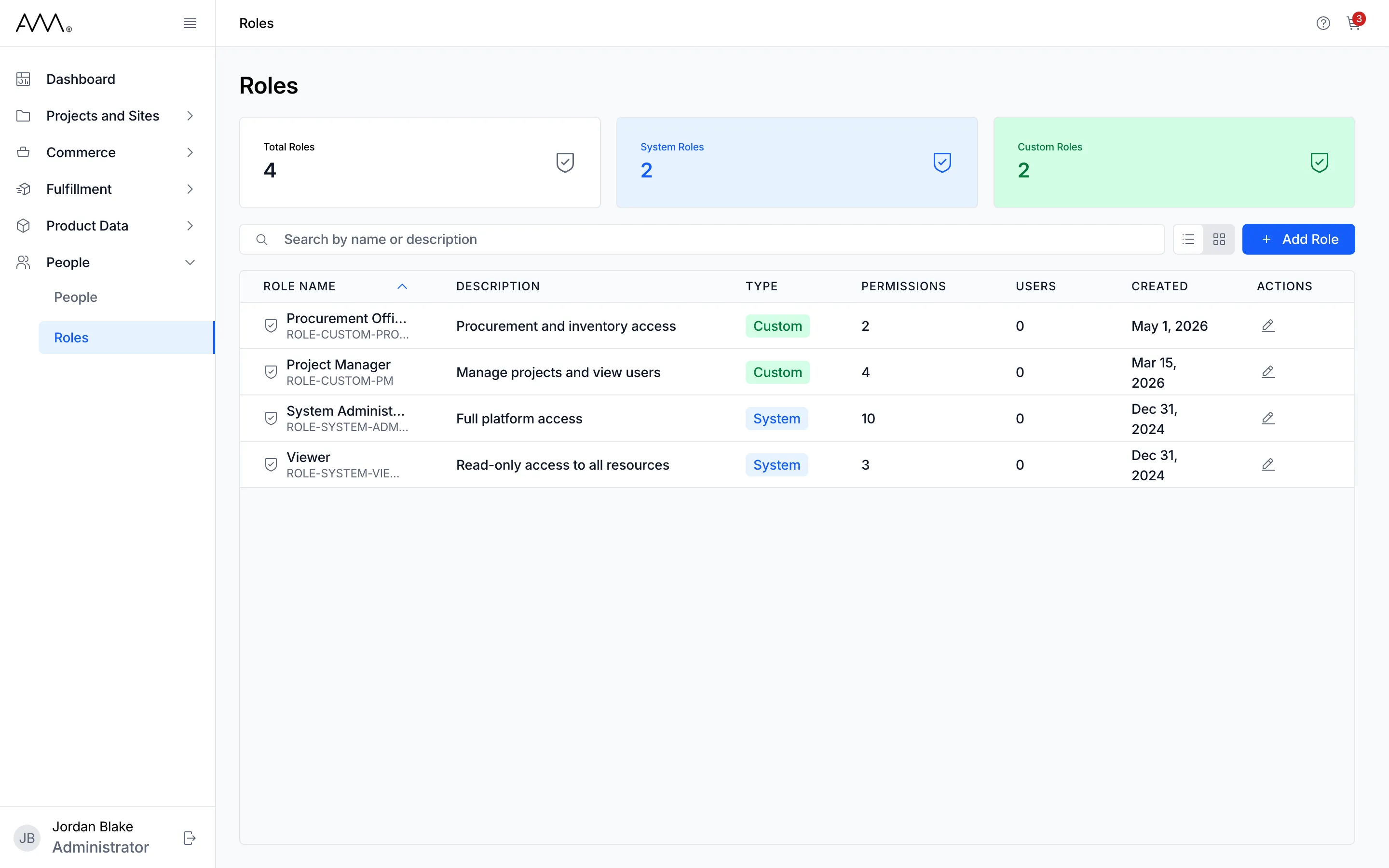
Section titled “The Roles list”Three cards at the top count Total Roles, System Roles and Custom Roles. The List view and Card view buttons switch layouts, and Add Role opens the editor.
Each row shows Role Name with its identifier, Description, Type, Permissions (how many the role grants), Users (how many active people hold it), Created and an edit icon under Actions. A long description is cut to two lines; hold the pointer over it to read all of it. Click the Role Name, Description, Type or Created heading to sort by it. Roles have no separate page. The edit icon opens the role in the Edit Role dialog, where you can read its permissions even when you cannot change them. If nothing is listed, the page shows No roles found.
System and custom roles
Section titled “System and custom roles”| Type | What you can do |
|---|---|
| System | Built in. You can open it to see its permissions, but the dialog shows System roles cannot be edited. and it cannot be deleted. |
| Custom | Created in Omni. Can be renamed, described and given different permissions, and deleted once no active person holds it. |